Completed inspection checklist
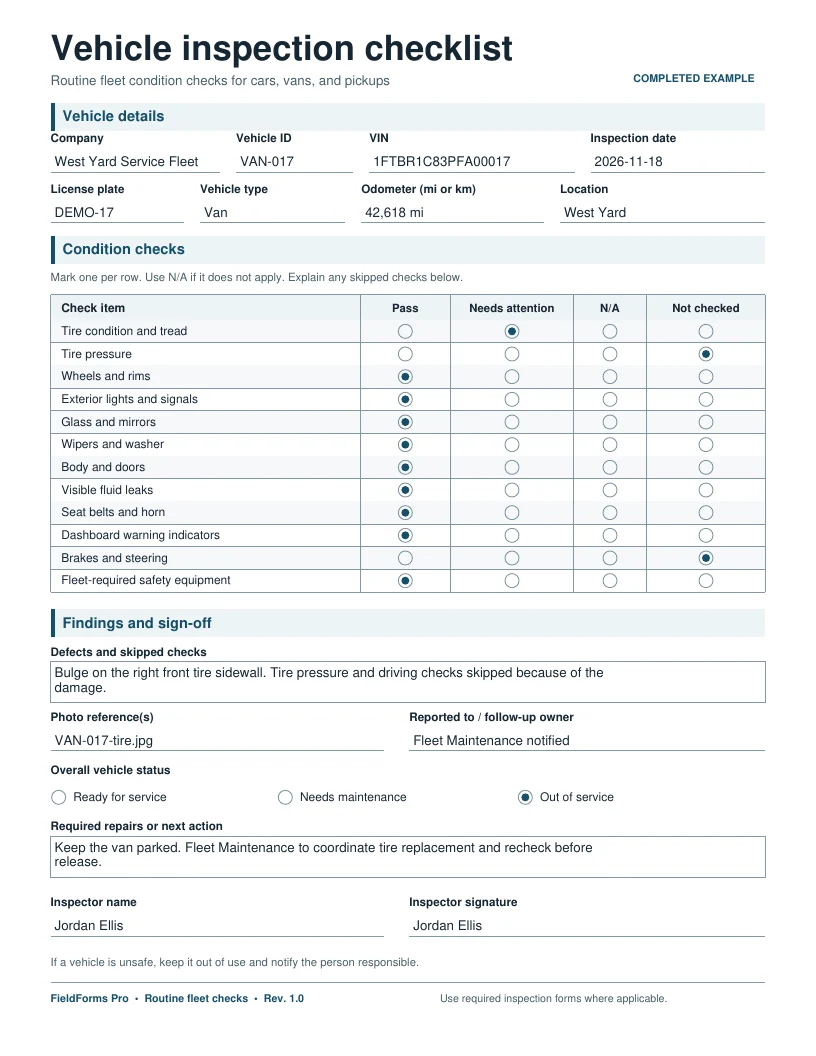
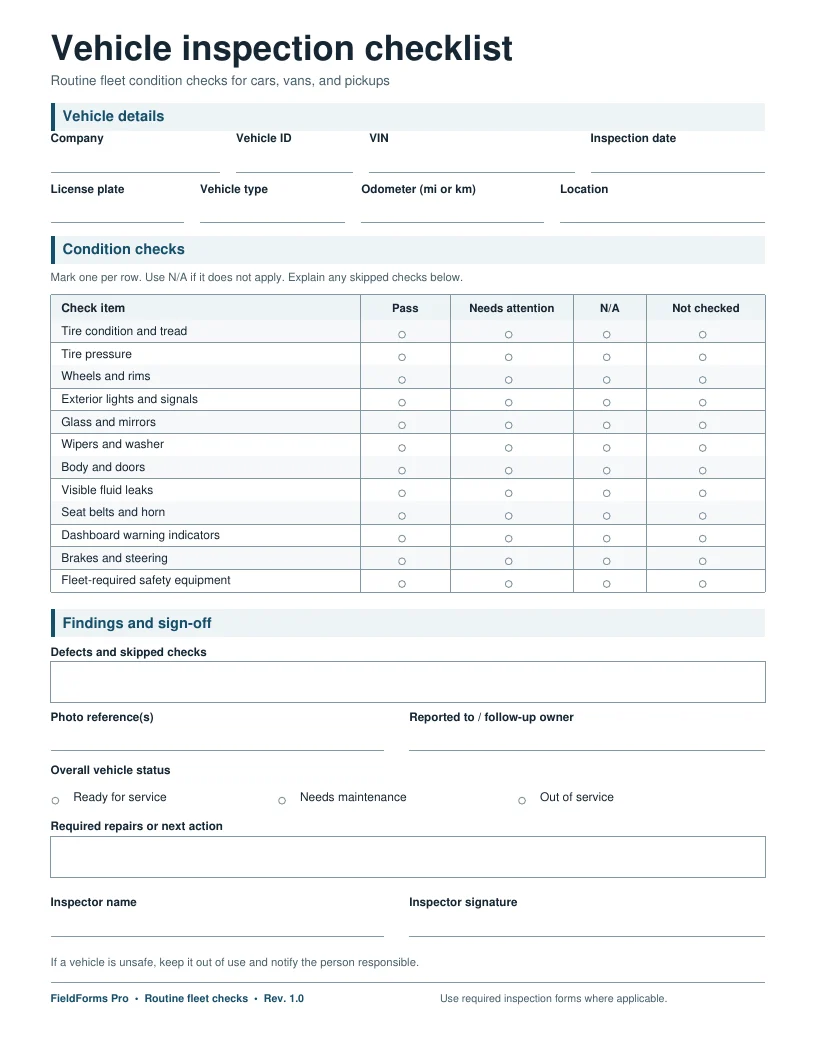
The one-page checklist shows the tire defect, the checks skipped, and who owns the repair follow-up.
 View filled-out template
Use this free checklist for routine condition checks on fleet cars, vans, and pickups. Record what you checked, flag defects, and give maintenance a clear next step.
US Letter · One page · Fill in a PDF reader or print at actual size (100%).
 Preview blank PDF
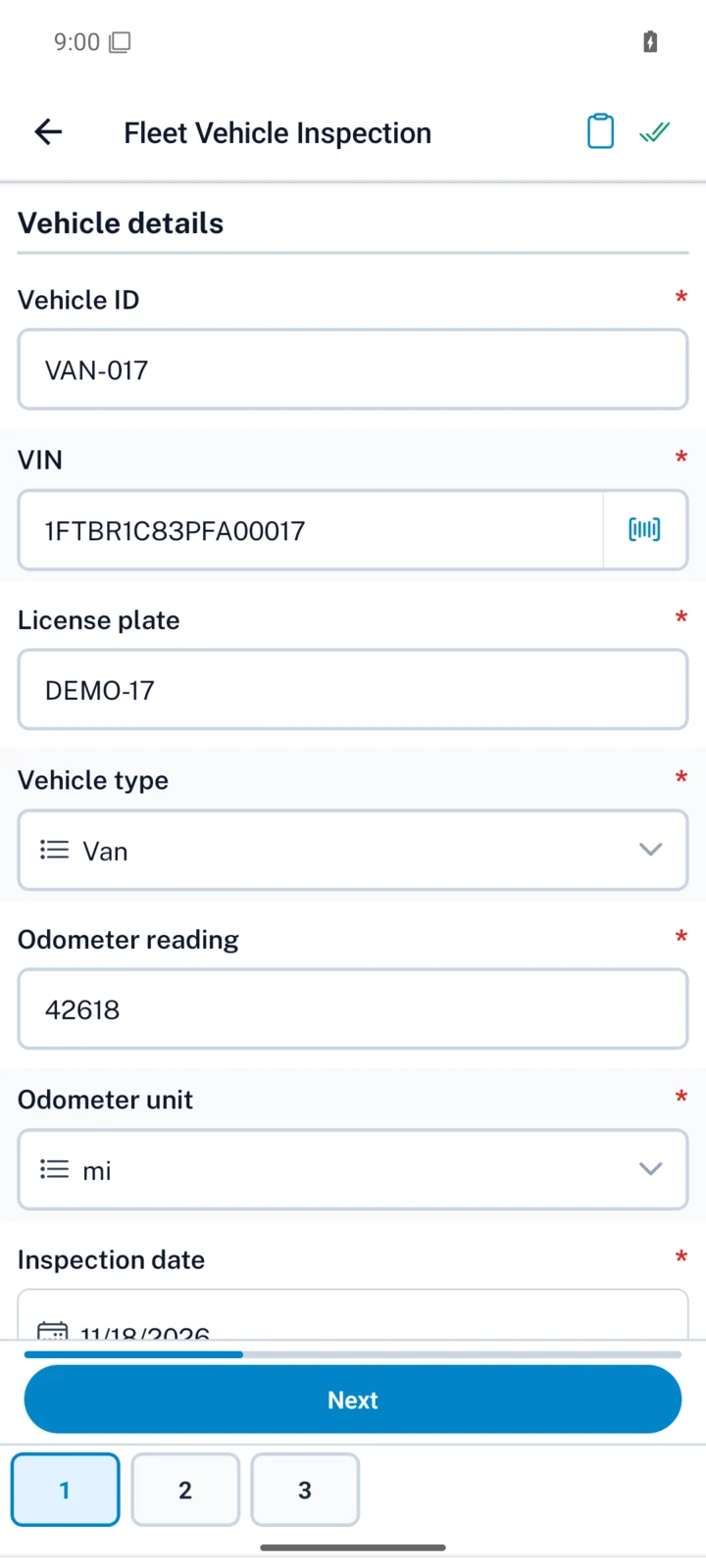
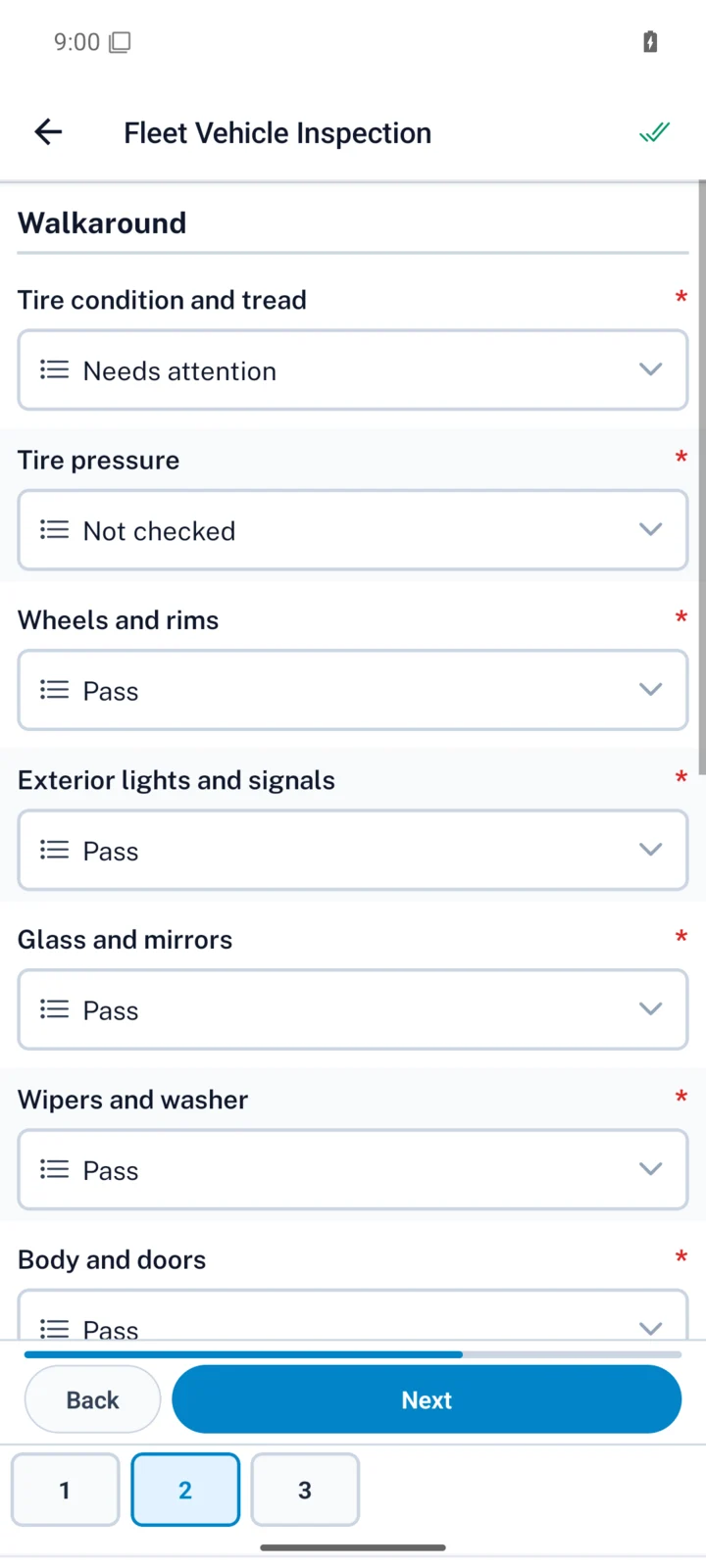
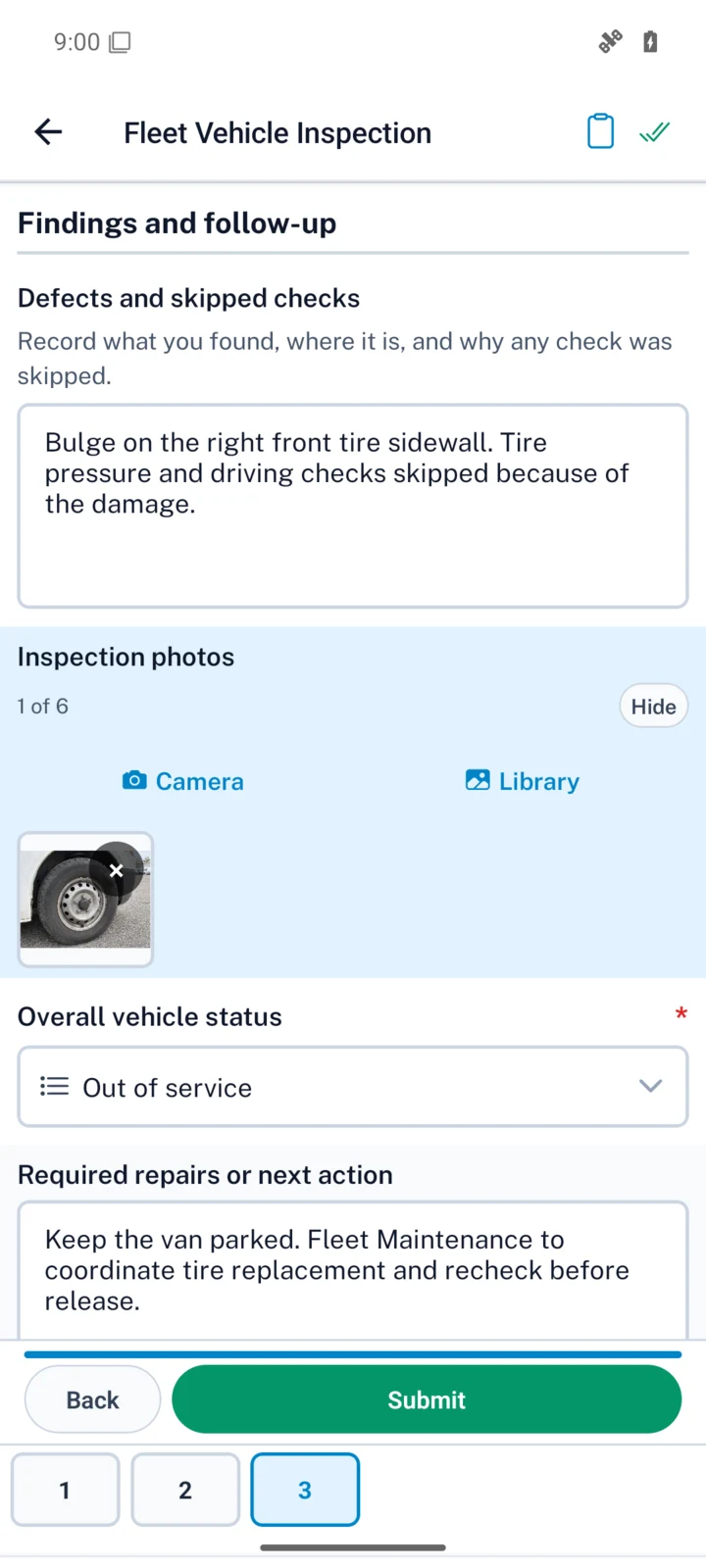
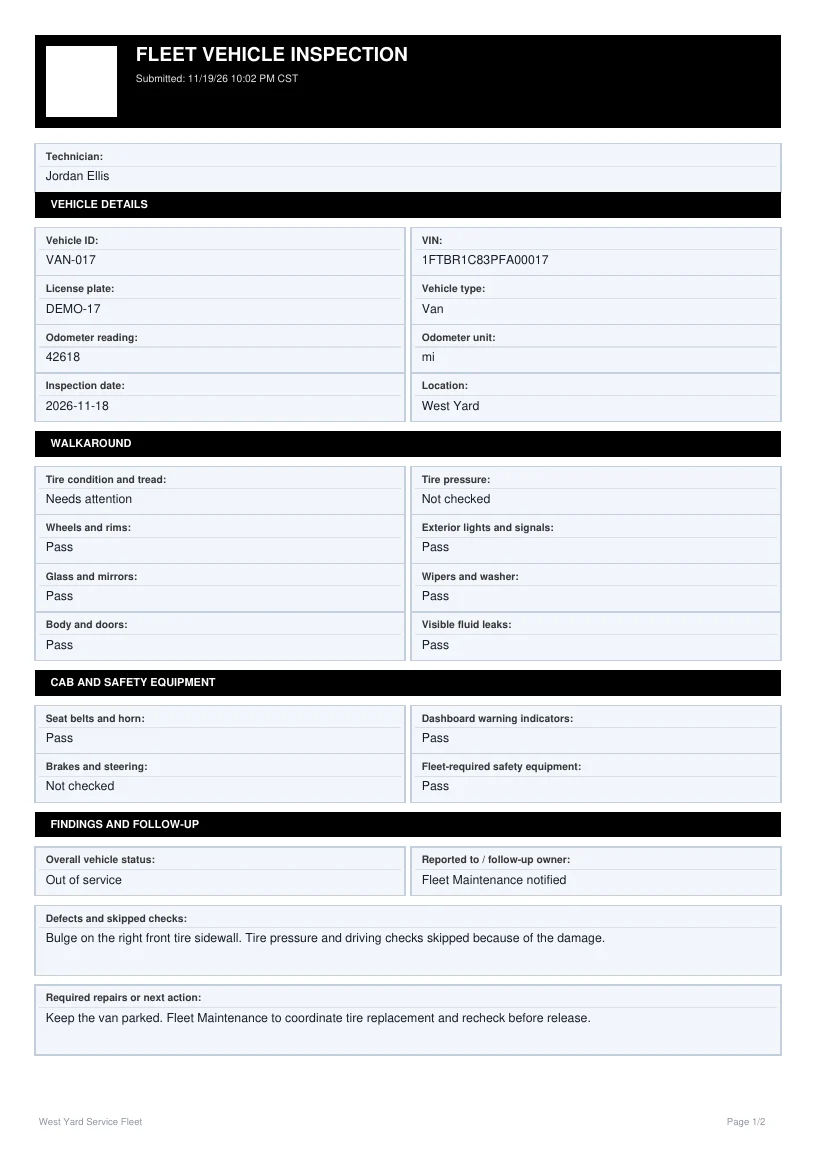
During a yard check, the inspector finds a bulge in the right front tire sidewall. They take the van out of service, skip the tire pressure and driving checks, and notify Fleet Maintenance to coordinate tire replacement. Both records show the same inspection. The vehicle details and photo are illustrative.
The one-page checklist shows the tire defect, the checks skipped, and who owns the repair follow-up.
View filled-out templateThe PDF generated by FieldForms Pro includes the inspection results, the tire photo, and the inspector’s drawn signature.
 View completed report
Mark Pass when there are no visible fluid leaks.
Follow your fleet's approved checks. Do not drive a vehicle with a known safety defect.
Record what you found, where it is, and why any check was skipped.
Record the fleet unit number, VIN, plate, vehicle type, and odometer reading with its unit. Include the inspection date and location so maintenance can find the right vehicle and match the report to its history.
Check tires and wheels, exterior lights, glass and mirrors, wipers, body and doors, and visible leaks. Record the condition of seat belts, the horn, warning indicators, brakes and steering, and any safety equipment your fleet requires. Follow your fleet’s procedures and the vehicle manufacturer’s instructions.
Name the component and its exact location. For example, write “bulge on the right front tire sidewall.” Include a photo reference on paper or attach the photo in FieldForms Pro. Explain any checks you skipped.
Record whether the vehicle is ready for service, needs maintenance, or is out of service. If it’s unsafe to drive, keep it out of use, notify the person responsible, and list the required repair or next action. Sign and share the record.
Save a copy of the fillable PDF for each inspection or print it on US Letter paper. Use the Word version to customize the list for your vehicles and site requirements.
Choose Pass, Needs attention, N/A, or Not checked. Use N/A when an item does not apply. Use Not checked when you skipped a check that applies, and explain why in the findings.
Describe where you found the defect and include a photo when practical. Record the vehicle status, what needs to happen next, and who was notified or owns the follow-up.
Send the signed checklist and any referenced photos to your fleet lead or maintenance team. In FieldForms Pro, inspectors can submit their checks, photos, and signature together from a phone.
Use it for routine walkarounds, shift or vehicle handovers, and other condition checks your fleet schedules. Set the frequency and check procedure based on vehicle use, your fleet policy, and manufacturer guidance.
Yes. Open the free fillable PDF in a reader that supports form fields, or print it on US Letter paper. Download the editable Word version if you want to change the check items or add company information. Both downloads are available without an account.
Keep the vehicle out of use, notify the person responsible under your fleet policy, and record the defect and next action. Skip any check that requires driving and explain why. Follow your fleet’s process for repair and return to service.
Use this checklist for routine fleet condition checks. Follow the applicable procedures for annual DOT and state inspections. For a driver vehicle inspection report with repair certification and driver review, use the form below. Driver vehicle inspection report (DVIR) template
For a paper, PDF, or Word checklist, put the filenames or photo references in the findings section and share the files with the record. In FieldForms Pro, take or upload photos directly in the inspection.
Use the template during your FieldForms Pro trial. See pricing for ongoing use.
Inspectors can scan or enter the VIN, record each check, attach photos, and sign on site, even offline. Set up PDF delivery so maintenance can receive the inspection report after the form syncs to FieldForms Pro.
Add to an existing FieldForms Pro workspace