Built for the field
Capture field data without the hassle.
Build custom forms in minutes. Collect data offline. Get real-time visibility into every job — from VIN scans to e‑signatures.
30-day free trialCancel anytimeAdmin seats free
Built for the field
Build custom forms in minutes. Collect data offline. Get real-time visibility into every job — from VIN scans to e‑signatures.
Trusted by field teams across industries
Features
Built for technicians who work in the real world — where cell signals drop and paperwork gets lost.
Complete forms with zero signal. Data syncs automatically when connectivity returns.
Never lose work. Forms save as you type. Resume drafts anytime, even after app restarts.
Scan barcodes and QR codes instantly. Link equipment, parts, and assets to form entries.
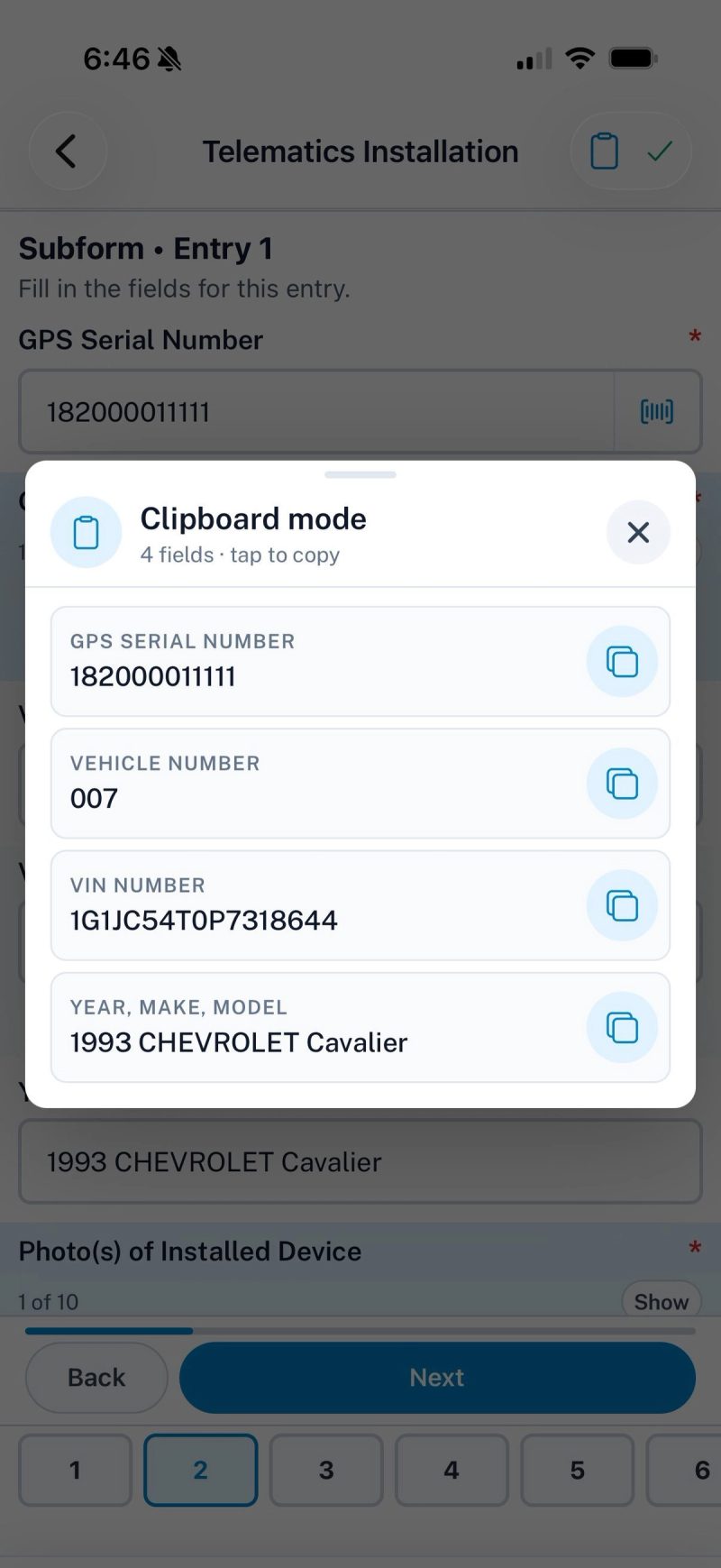
Scan the VIN barcode or type it in. Year, make, and model land in one field or three.
Legally binding, EU‑compliant electronic signatures. Customers sign directly on screen.
Add multiple entries — devices, line items, rooms. Repeating sections that keep data organized.
Sum, average, min, max, count — computed fields update in real time as techs enter data.
Branded PDFs for every submission — combined, or one standalone PDF per subform entry.
Watch forms fill in while techs work — with created and last‑edited times on every entry.
Drag-and-drop builder. Update live forms without breaking anything for techs in the field.
Connect to registries, databases, spreadsheets, and third‑party tools via webhooks and REST API.
Rows appear as entries are completed, or fill into an existing row by key — and sheet data feeds your forms. CSV works too.
Create project-specific form templates. Assign forms to techs. Track completion in real time.
Encrypted at rest and in transit. Secure cloud storage with automatic backups. GDPR‑ready.
Form Builder
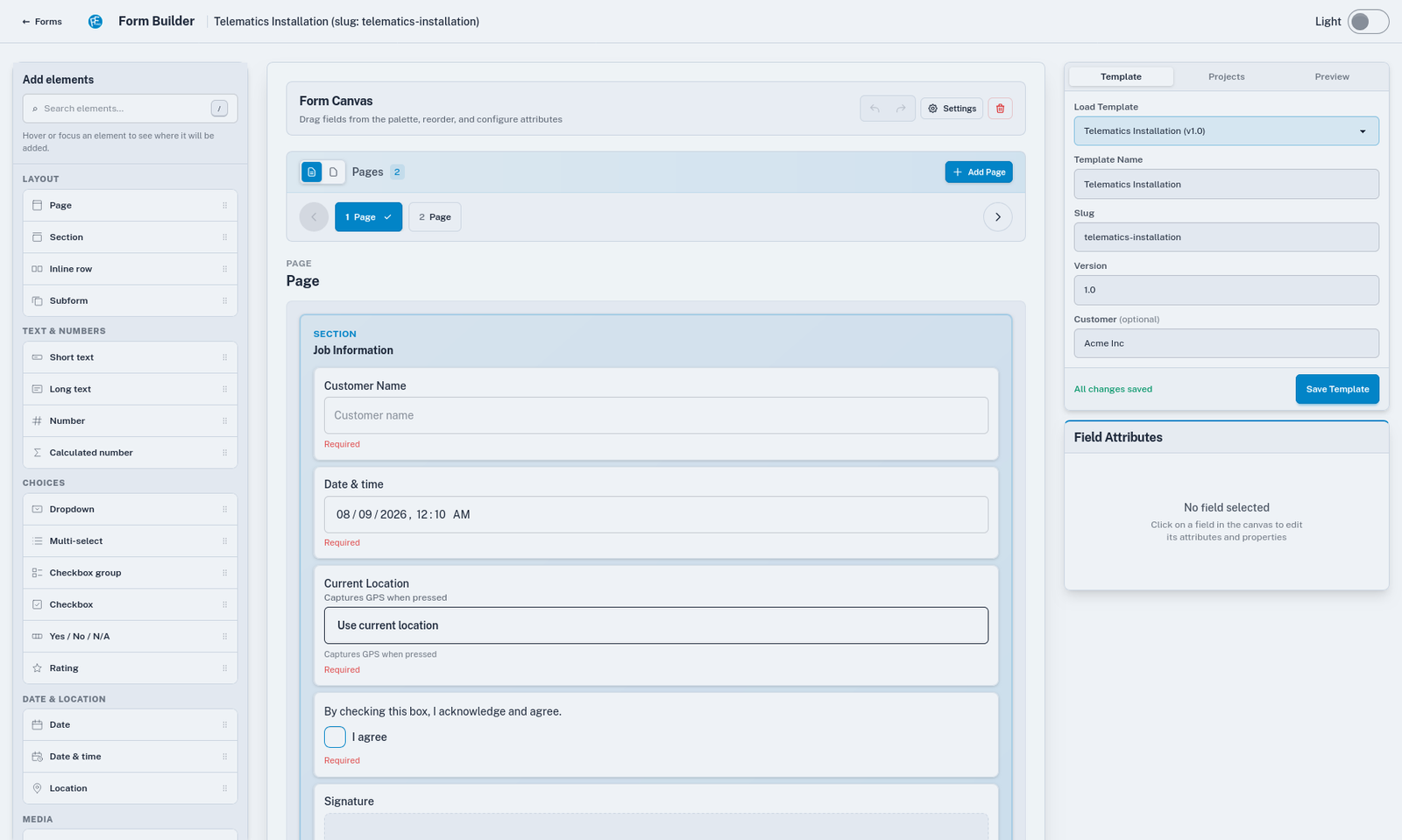
Drag and drop 20+ field types to create forms that match your exact workflows. No coding, no consultants, no waiting.
Mobile App
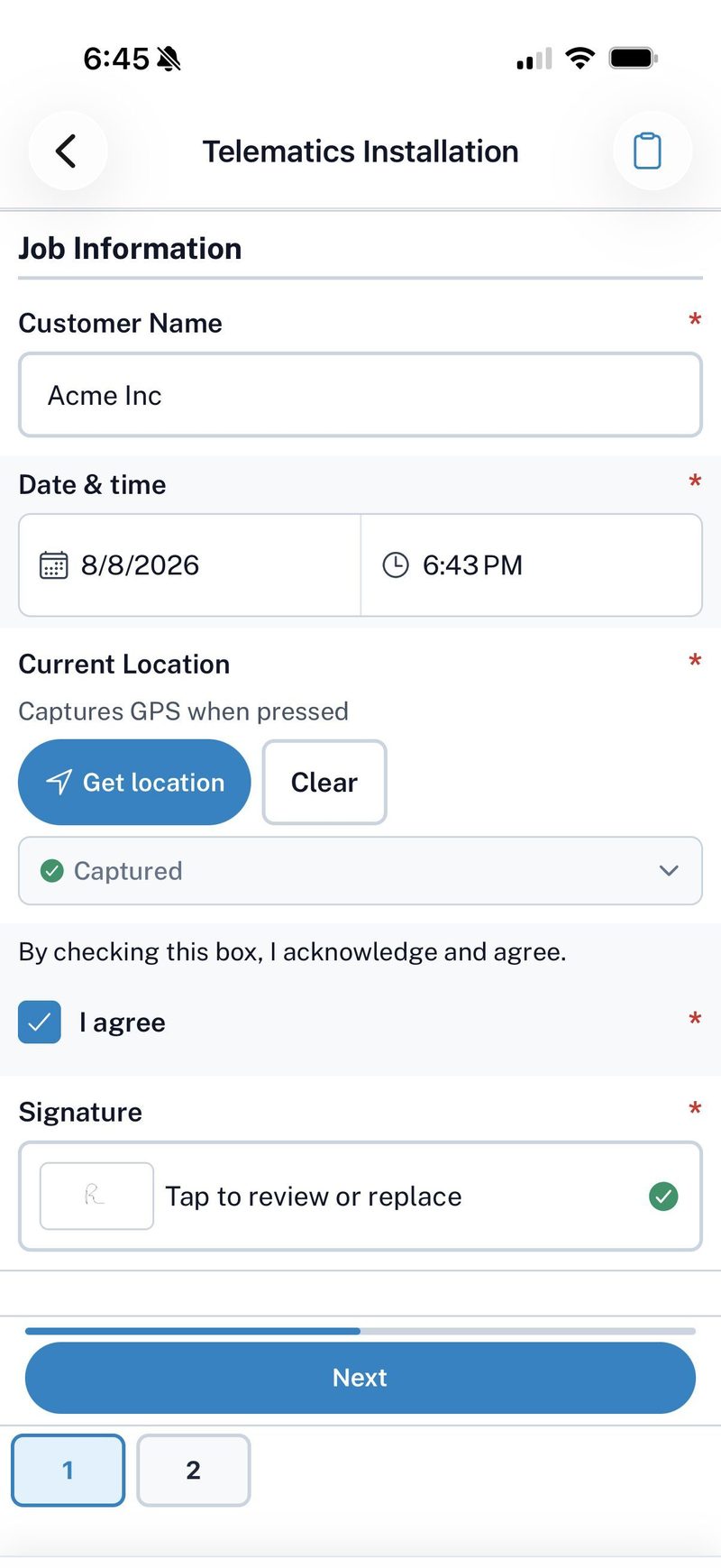
Large tap targets, fast navigation, and a clean interface built for real job sites. Your techs will actually want to use it.
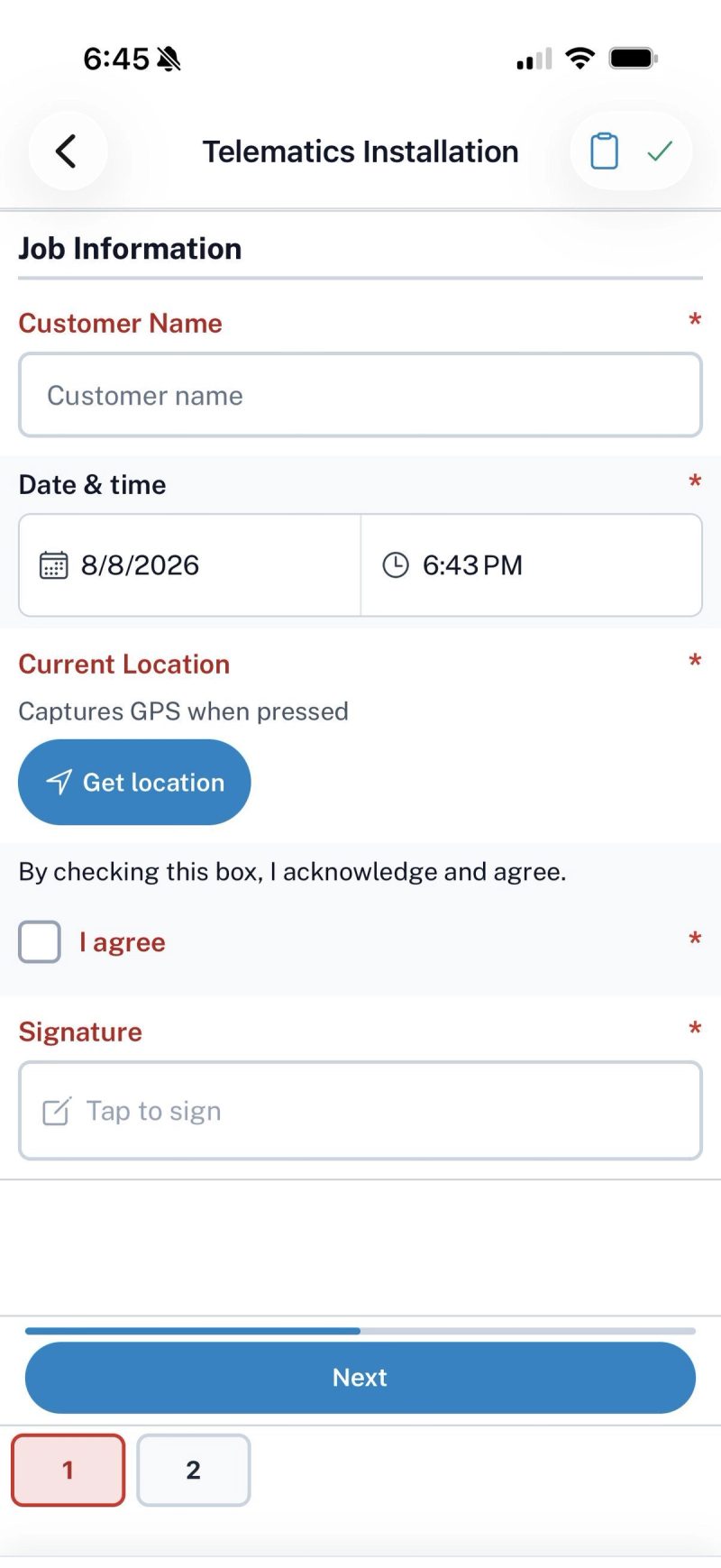
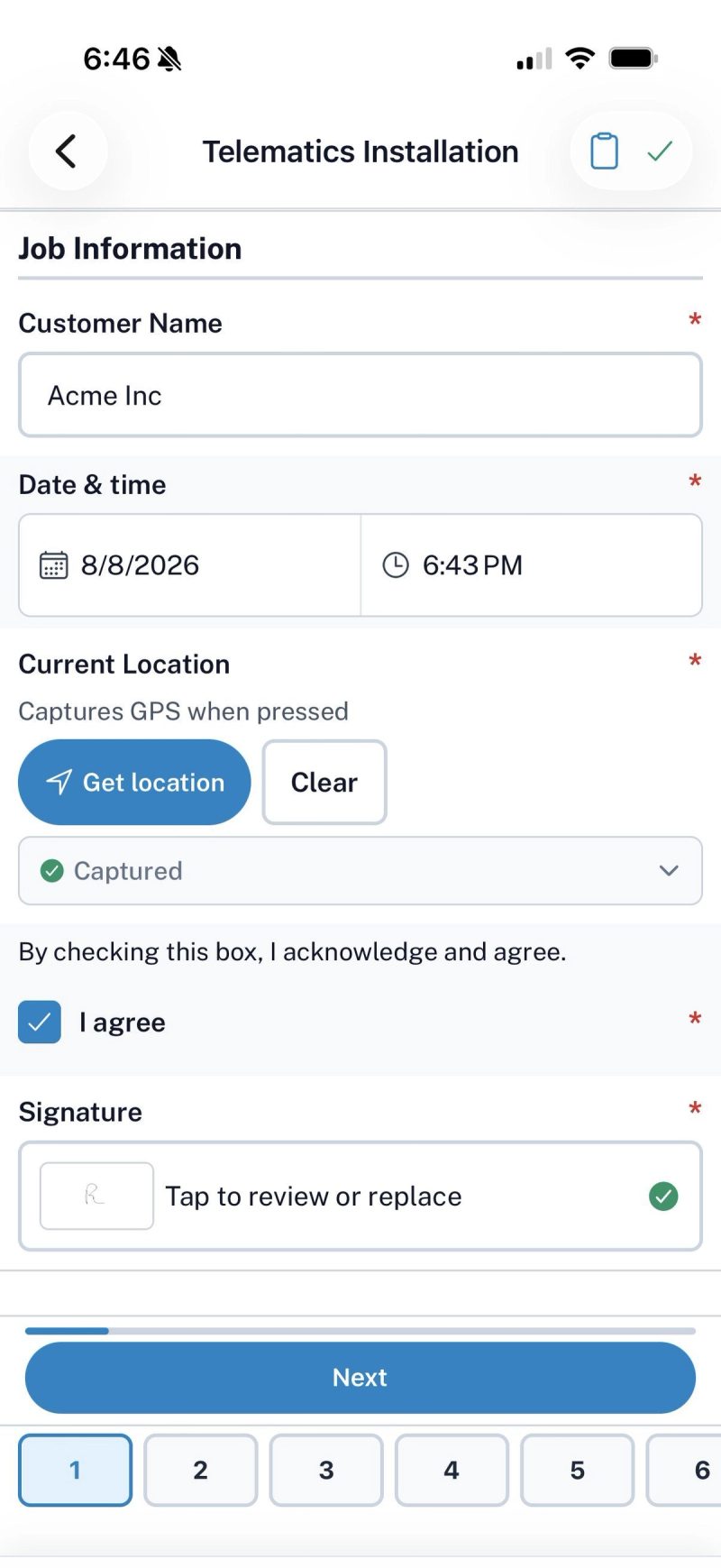
Subforms & Repeaters
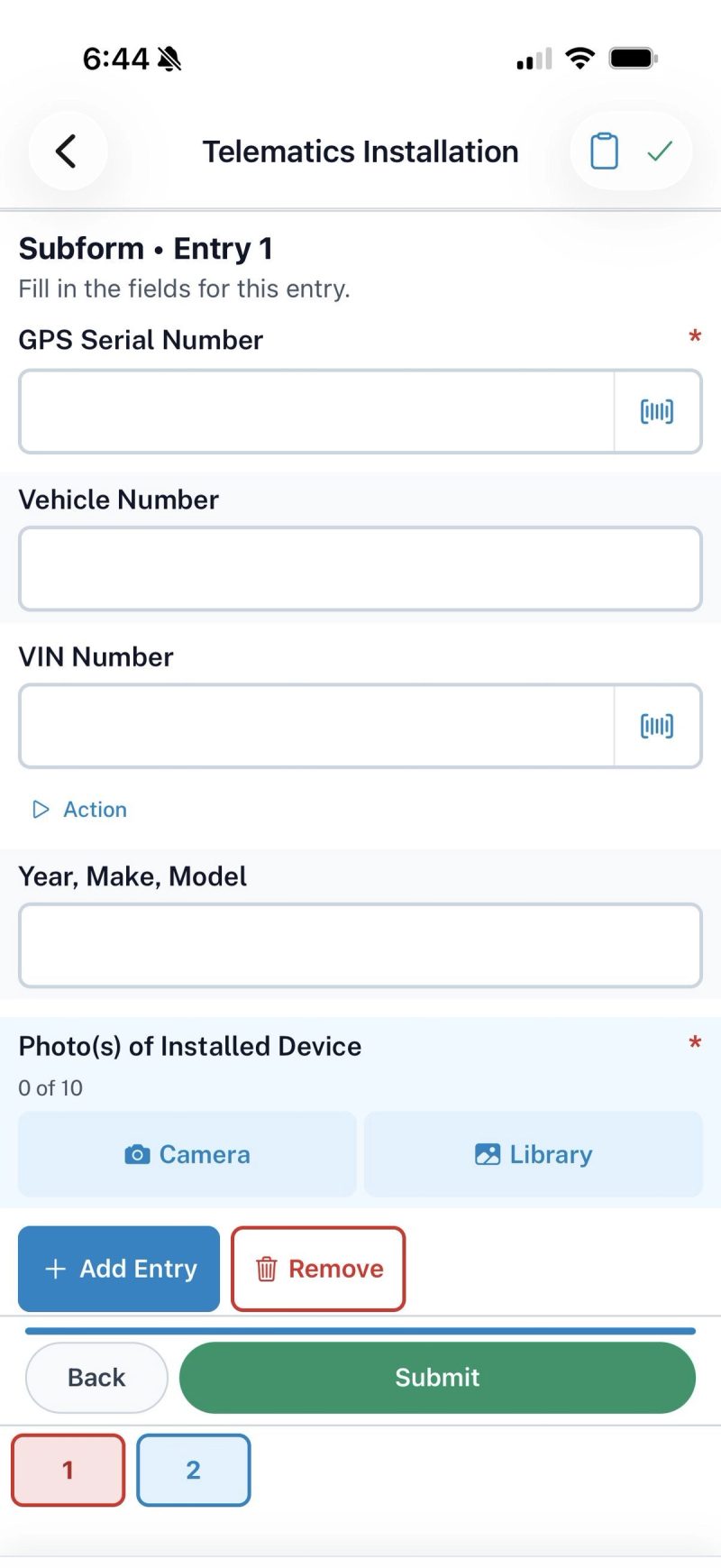
A tech pulls up to install five devices, or fifty. Instead of starting a new form for every vehicle, they tap Add Entry and keep working. Same form, same submission — one clean record when they're done.
VIN Decoding
Tap the scanner in any VIN field to read the barcode off the door jamb or dash — or just type the VIN in. FieldForms decodes it and auto‑fills the year, make, and model.
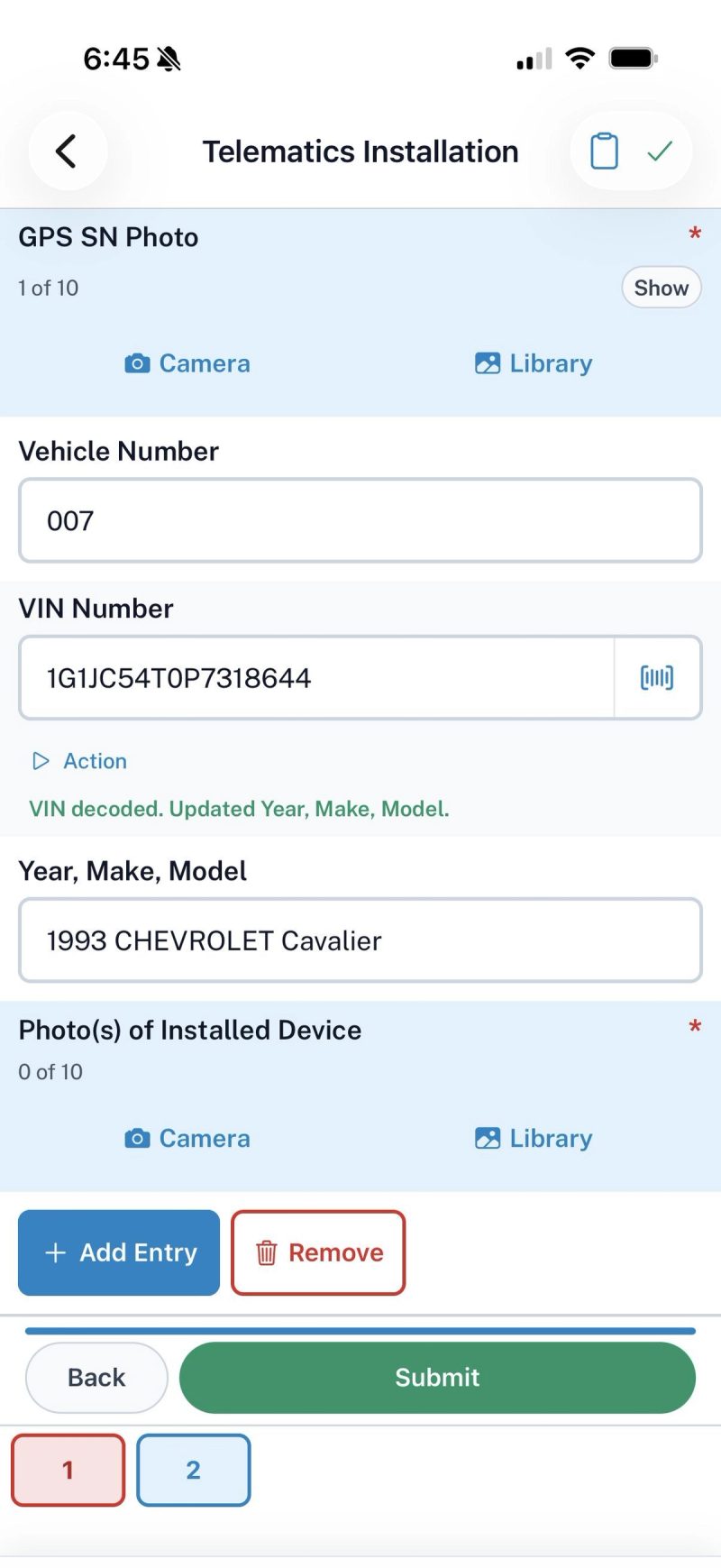
Submissions
Review, filter, resend, and export everything your team submits from the web portal — with PDF and CSV exports a click away. Looks right in light or dark.
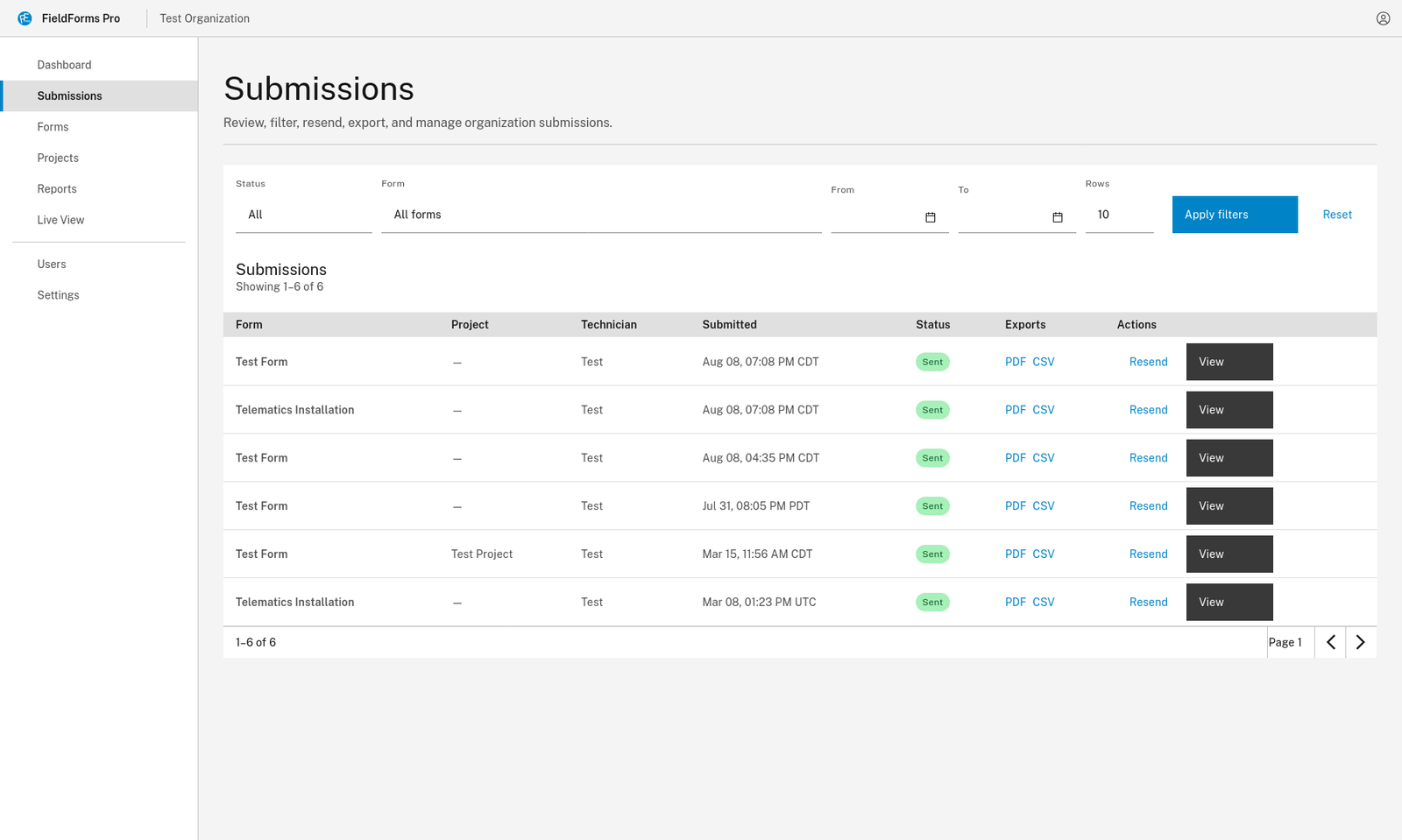
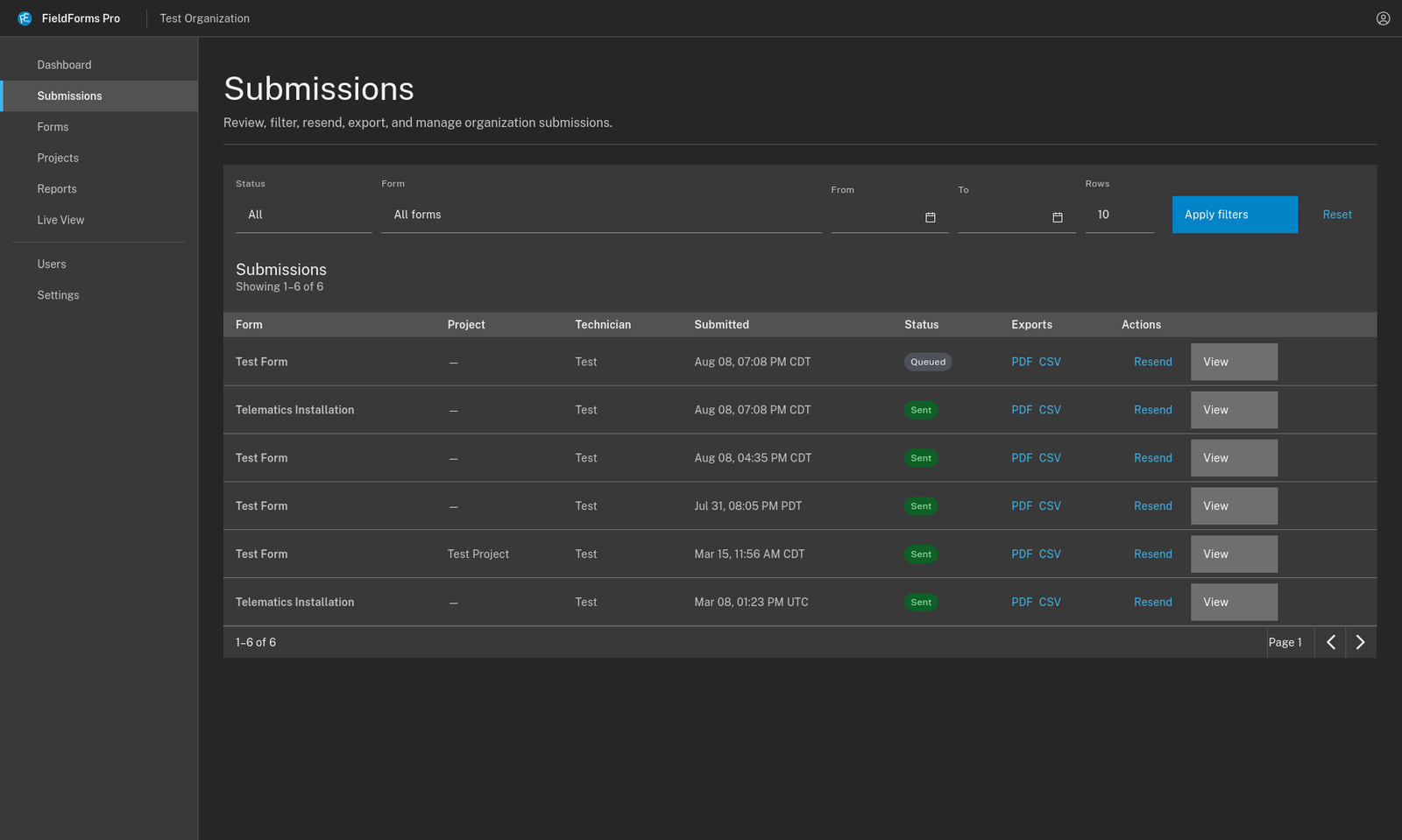
Live View
Open any form a tech has in progress and watch it fill in — answers, photos, and subform entries appear as they're captured. No calling the field for a status update.
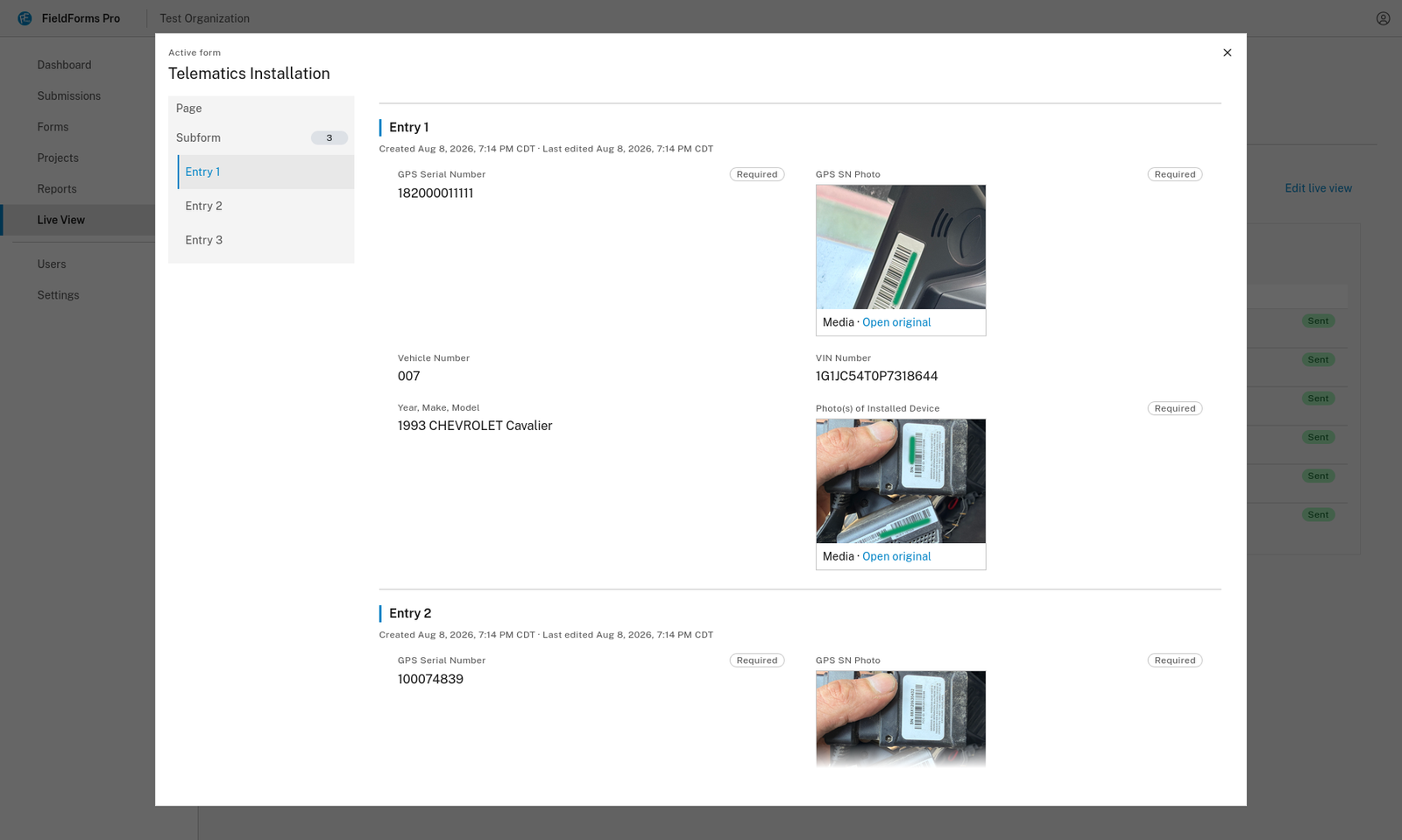
Each subform entry records when it was created and when it was last edited — proof of when work actually happened.
Navigate the form the way the tech sees it. Skip straight to Entry 3 of a repeating subform without scrolling the whole job.
Serial number shots and install photos show up in Live View, full resolution on click — catch a bad photo while the tech is still on site.
PDF Generation
Every submission renders into a clean, professional PDF — your branding, readable layout, photos and signatures placed where they belong. Not a spreadsheet dump with a logo on it.
One 40-vehicle install becomes one report for your records — and 40 individual PDFs, one per vehicle, ready to send to the fleet owner.
Google Sheets & CSV
Connect a Google Sheet and FieldForms fills it in for you. As each form — or each subform entry — is completed, it lands as a new row, or drops into the row it belongs to. No exporting, no copy‑paste, no one re‑keying yesterday's jobs on Monday morning.
| VIN key | Serial | Tech | Completed |
|---|---|---|---|
| 1G1JC54T0P… | SN‑4471 | M. Ortiz | 7:14 PM |
| 3FA6P0H73H… | SN‑4472 | M. Ortiz | 7:26 PM |
| 1FTFW1ET5D… | SN‑4473 | R. Vance | 7:33 PM |
| 1C4RJFAG9M… | — | — | — |
Entry 3 submitted at 7:33 PM — VIN matched, so serial, tech, and time filled into that row.
Fully Customizable
Every stage is yours to shape — the form your techs fill in, the document your customer receives, the columns in your export, and where all of it gets delivered. When the job changes, you change the form. No ticket, no developer, no waiting on us.
20+ field types across as many pages as you need. Required rules, default values, and conditional logic that hides what doesn't apply.
Decide what repeats, which fields ride along on every entry, and how each entry is labeled when it reaches the office.
Your branding and your section order. Ship one combined report, a standalone PDF for every entry, or both.
Choose the columns, name the headers, and control how repeating entries land as rows — so the export drops straight into what you already use.
Email on submission to whoever needs it, push to a connected sheet, or fire a webhook into your own system.
Project-specific templates, forms assigned to the techs who need them, and control over who sees what.
Change it once in the builder — every tech has it on their next sync, mid‑job forms included.
Pricing
One plan. Everything included. No hidden fees.
Per field technician, billed annually — save 17%.
Prefer month‑to‑month? $29.99/user/mo, billed monthly.
Only pay for technicians in the field. Unlimited admin & office users at no cost.
Cancel anytime during your trial
Start your free trial today. Your techs will be submitting forms by tomorrow.
30-day free trial · Cancel anytime · Admin seats free