Appliance Repair
Mobile service tickets for appliance repair
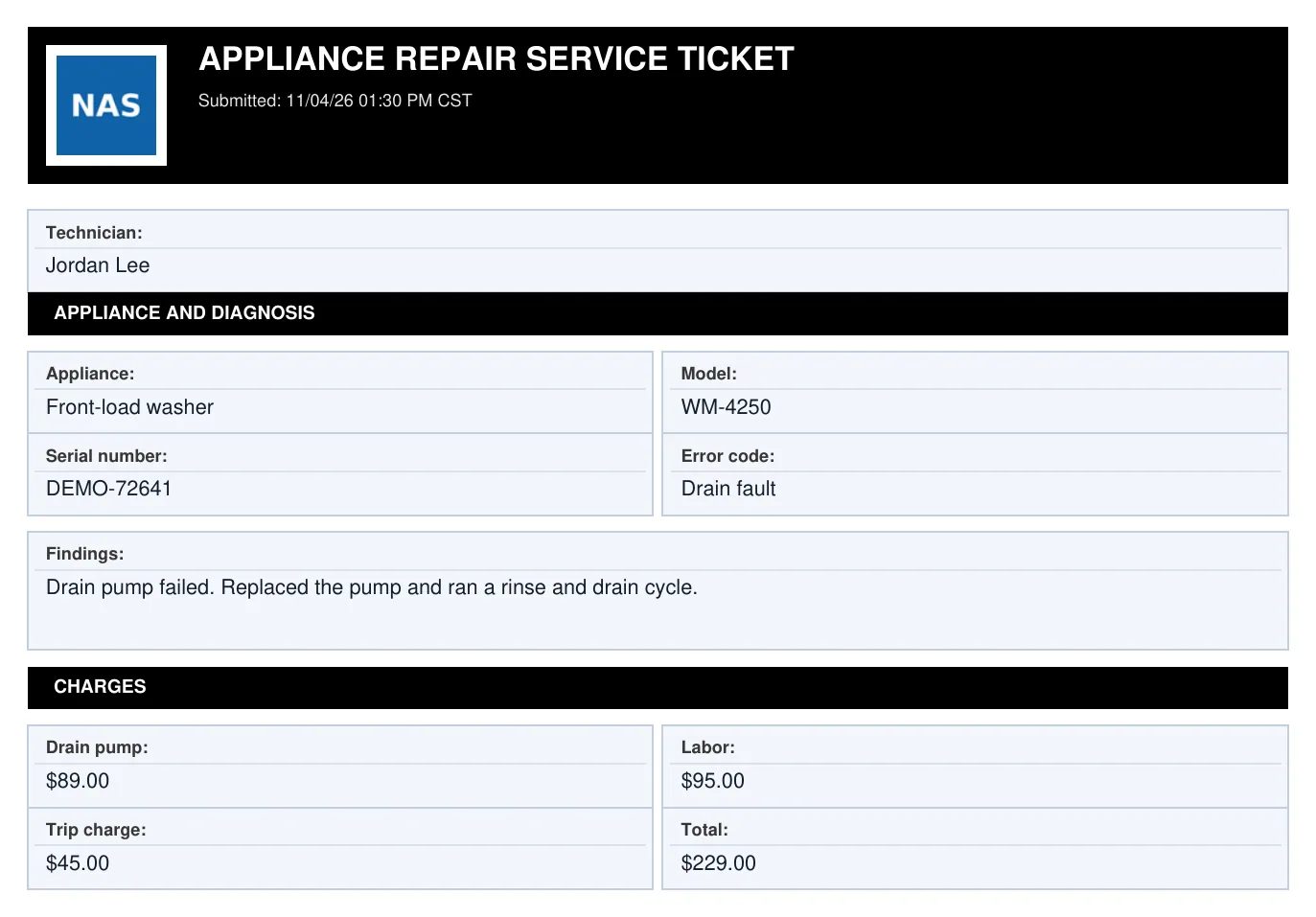
Record the model and serial number, describe the fault, and list parts and labor. Ask the customer to sign on the phone.
Example repair workflow
Identify the appliance
Record the model and serial numbers and photograph the rating plate.
Record the diagnosis
Enter the symptom, error code, and findings. Show warranty questions when they apply.
Enter parts and labor
Add a line for each part, labor item, and trip charge. Calculated fields can total the charges.
Sign and share
Ask the customer to sign on screen, then export the service ticket as a PDF.
Fields for repair and warranty records
Model & serial scans
Scan the barcode on the rating plate when one is available.
Warranty details
Record error codes, part numbers, purchase date, and warranty coverage.
Parts and labor entries
Use a repeating entry for each part or labor item.
Calculated totals
Add parts, labor, and the trip charge as the technician enters them.
Photos
Rating plates, failed parts, and the finished repair.
Customer signature
Capture an on-screen signature and include it in the PDF.
Review and share a completed ticket
The PDF can include the appliance details, technician’s findings, and a breakdown of charges.
- Download the PDF from the portal or email it to configured recipients
- Export ticket data to CSV for billing
Can the form calculate parts totals?
Yes. Calculated number fields can sum line items from a repeating parts entry as the tech fills it in.
Can we scan model and serial numbers?
Yes. Turn on barcode scanning for any text field in the builder.
Can we collect details for warranty claims?
Yes. Add fields for the error code, part numbers, and purchase date. You can require a rating-plate photo and show warranty questions based on coverage.
Can we use our own parts and price list?
Yes. Connect a Google Sheets registry and set up a lookup from the service ticket.
Related features
Form Assistant
Attach a paper form, PDF, or photo and describe what you need. The Form Assistant proposes a mobile form you can preview and refine before applying it.
PDF Reports
Generate PDF reports from submitted forms. Include photos and signatures, and export a combined report or a separate PDF for each repeating entry.
Integrations & Google Sheets
Look up records from Google Sheets while filling in a form, use submitted answers to update matching rows, and export your data.
Try an appliance repair service ticket
Add a diagnosis and a few charges to a test form.
30-day free trial · Cancel anytime · Admin seats free