Locksmithing
Mobile service invoices for locksmiths
Record the job and the ID check, enter parts and labor, and collect a customer signature on a phone.
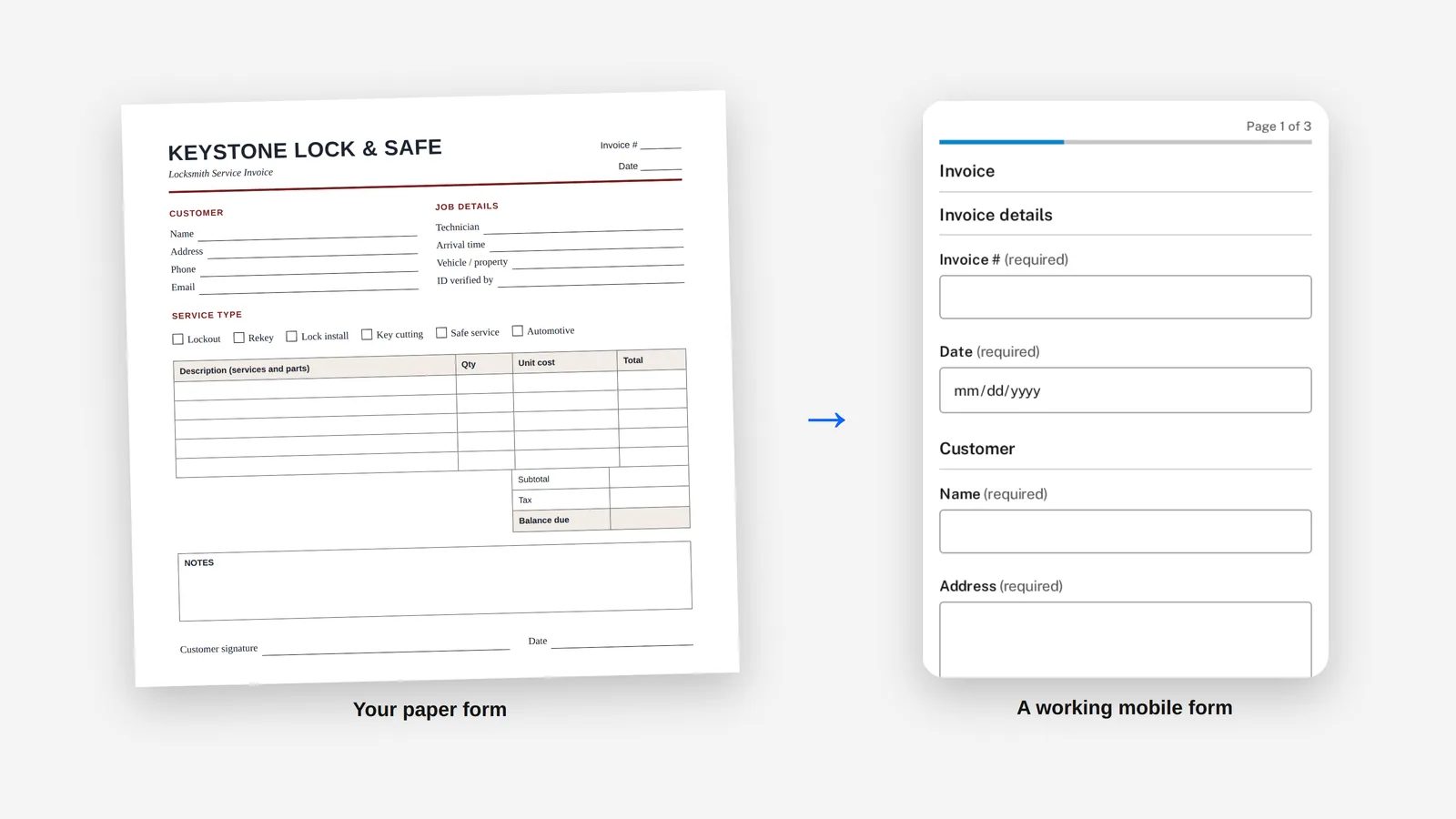
Example service call workflow
Record the job
Enter the customer’s name, address, arrival time, and property or vehicle details.
Record the ID check
Record who checked the customer’s ID and select the type of service.
Enter parts and labor
Add each service or part with its quantity and unit cost. Use calculated fields for subtotal, tax, and balance due.
Sign and share
Ask the customer to sign on the phone, then download the invoice as a PDF.
From a paper invoice to a mobile form
The demo shows how to attach a locksmith invoice, review the proposed form, and check the calculated totals on a phone.
What happens in this clip
In the Form Assistant, the “Build from a PDF or photo” suggestion is chosen and a paper Keystone Lock & Safe service invoice is attached. The assistant asks clarifying questions, including how tax should be entered, answered as 7% of the subtotal in US dollars, then proposes a form with customer and job details, service types, a repeatable list of services and parts, a calculated subtotal, 7% tax and balance due, notes, and a customer signature. The proposal is previewed at phone width and applied. The clip ends with the paper invoice beside the new form on a phone, where a tech adds two line items and the subtotal, tax and balance due are calculated.
Fields and settings for service invoices
ID verification
Record who checked the customer’s identity and how.
Service type
Lockout, rekey, lock install, key cutting, safe service, or automotive.
Vehicle details
Look up the year, make, and model from a VIN on automotive jobs.
Invoice totals
Subtotal, tax, and balance due calculated from the line items.
Customer signature
Signed on screen, dated, and placed in the PDF.
PDF invoice
Download the invoice or email it to configured recipients on submission.
Can I start with my current invoice?
Yes. Photograph or scan it, attach it to the Form Assistant, and review the proposed form before applying it.
Can the form handle automotive jobs?
Yes. Add a VIN field to decode the year, make, and model, and show vehicle questions only when Automotive is selected.
Can the form calculate invoice totals?
Yes. Set up calculated fields to total line items, apply tax, and show the balance due.
Can we record an ID check without storing a photo?
Yes. Add fields for who checked the ID and how.
Related features
Form Assistant
Attach a paper form, PDF, or photo and describe what you need. The Form Assistant proposes a mobile form you can preview and refine before applying it.
VIN & Barcode Scanning
Scan or type a VIN to look up the vehicle’s year, make, and model. Scan barcodes and QR codes into text fields with scanning enabled.
PDF Reports
Generate PDF reports from submitted forms. Include photos and signatures, and export a combined report or a separate PDF for each repeating entry.
Try a locksmith service invoice
Use your current invoice as the reference for a mobile form.
30-day free trial · Cancel anytime · Admin seats free
Forms for locksmithing
- Locksmith invoice template
Record authorization and the approved quote, itemize charges, and show the amount paid and balance due.