Form Assistant
Turn paper forms into mobile forms
Attach a PDF or photo of your form, or describe what you need. Review the proposed pages, fields, and rules before applying them to your draft.

Start with a form you already use
Scan or photograph a printed invoice or checklist. The assistant uses it to draft a form your team can fill in on a phone.
- Attach PDF, PNG, or JPEG files up to 20 MB each and 20 pages in total
- Describe the form in your own words if you don’t have a reference
- Review proposed field types for totals, dates, signatures, and locations
How to create a form with the assistant
Attach or describe
Add a reference file, describe the form, or start with a suggested checklist or work order.
Answer questions
The assistant may ask how to handle details such as tax or currency. You can skip a question.
Review the proposal
Read the summary and check the form in the phone preview.
Apply to your draft
Apply the proposal, ask for changes, or generate it again. You can undo an applied proposal or edit the draft in the builder.
From a paper invoice to a mobile form
The demo shows how to attach a locksmith invoice, answer a question about tax, and check the totals on a phone.
What happens in this clip
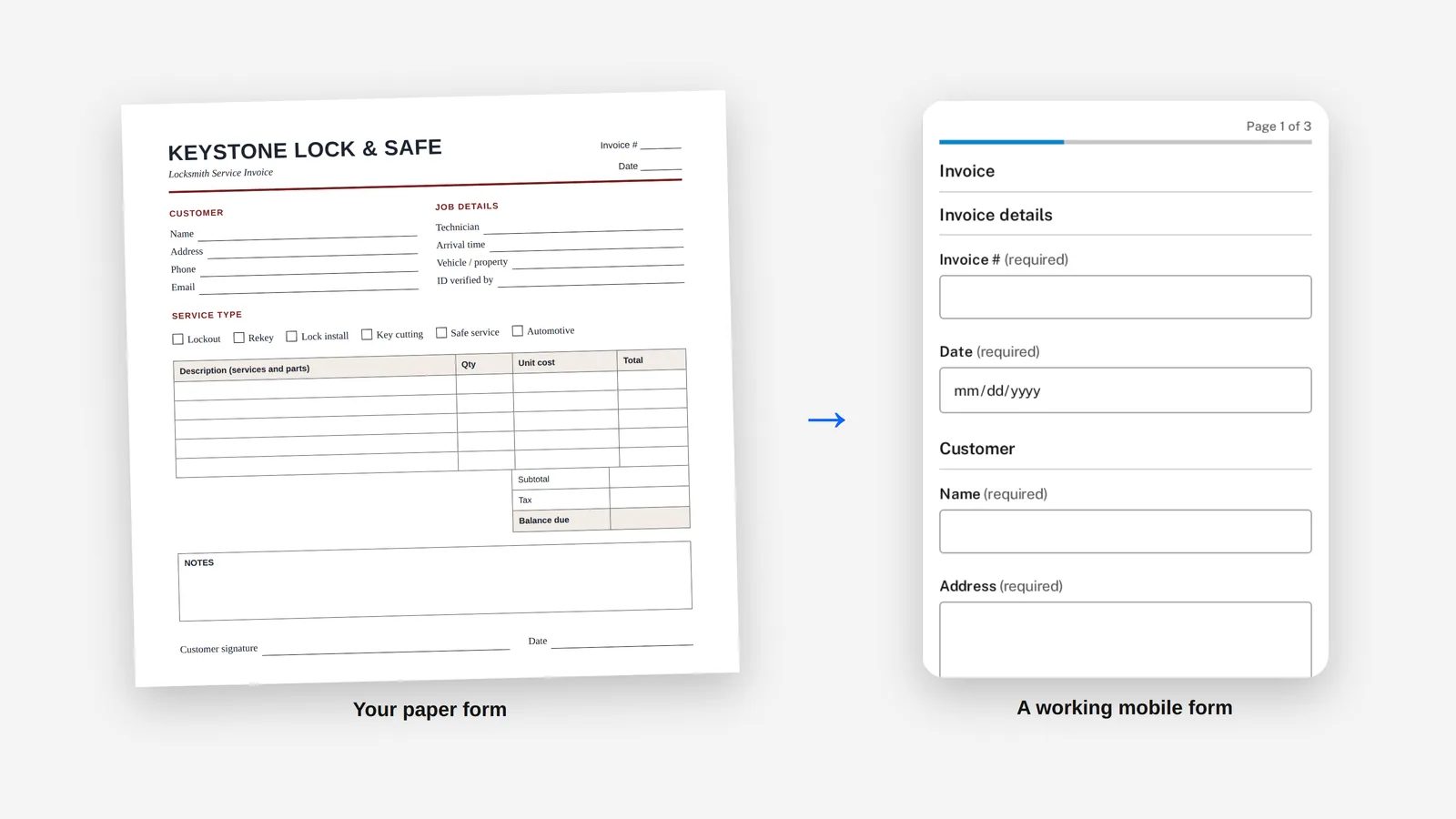
A paper Keystone Lock & Safe service invoice is shown, and its customer, job, service type, line-item, totals, notes and signature areas are outlined. In the Form Assistant, the “Build from a PDF or photo” suggestion is chosen: it writes the request and opens the file picker, and the invoice is attached and sent. Before building, the assistant asks clarifying questions; asked how tax should be entered, the answer is 7% of the subtotal as its own tax line, in US dollars. It then proposes a mobile invoice that follows the paper form’s order, with customer and job details, service types, a repeatable list of services and parts that starts with one item, and a calculated subtotal, 7% tax and balance due. The proposal is previewed at phone width and applied to the draft. The form then appears on a phone beside the paper invoice: a customer name is entered, then two line items, one front door lock rekey at $85 and three key copies at $4.50, and the form works out a subtotal of $98.50, tax of $6.90 and a balance due of $105.40. “Your paper invoice on every tech’s phone. Add the line items and it does the math.”
Review changes before applying them
The assistant shows the proposal alongside your draft. Select Apply when you’re ready to update the draft.


Change summary
See which pages, sections, and fields the proposal adds, changes, or removes.
Assumptions to review
Check whether choices such as the number of line items match how you work.
Chat history
Assistant chats are private to the person using them and expire after 30 days of inactivity.
Edit an existing form
Open the assistant on a form you already use. Ask it to change the whole form or just one section, then review the proposed edits.
- “Make this faster to fill out”
- “Check what’s missing”
- “Show questions only when needed”
- “Capture evidence of problems”

Which plans include the Form Assistant?
Every plan includes the Form Assistant.
What can I attach?
PDF, PNG, and JPEG files, up to 20 MB per file and 20 pages in total. Scans and phone photos of paper forms work, as do PDFs you already send to customers.
Does the assistant change my form automatically?
No. Proposals appear next to your draft and nothing changes until you choose Apply. After applying you can undo, keep editing in the builder, or ask for further changes.
Can I use it on a form that’s already in use?
Yes. Choose whether a change applies to the whole form or to one section, describe what you want, and review the proposal before applying it to your draft.
Who can see my assistant conversations?
Chats are private to the person who started them and expire after 30 days of inactivity.
What can I edit in the form builder?
You can edit labels, required fields, conditional rules, and what appears in PDF or CSV exports.
Related pages
Form Builder
Build mobile forms with drag-and-drop fields, repeating subforms, conditional logic, and settings for PDF and CSV exports.
Offline Mobile App
Use downloaded forms offline on Android and iOS. The app saves drafts and sends queued submissions when the phone reconnects.
Locksmithing
Set up a mobile locksmith invoice to record service type, ID checks, parts and labor, invoice totals, and customer signatures.
Try the Form Assistant
Start with a form your team already uses.
30-day free trial · Cancel anytime · Admin seats free