Offline Mobile App
Fill in forms offline
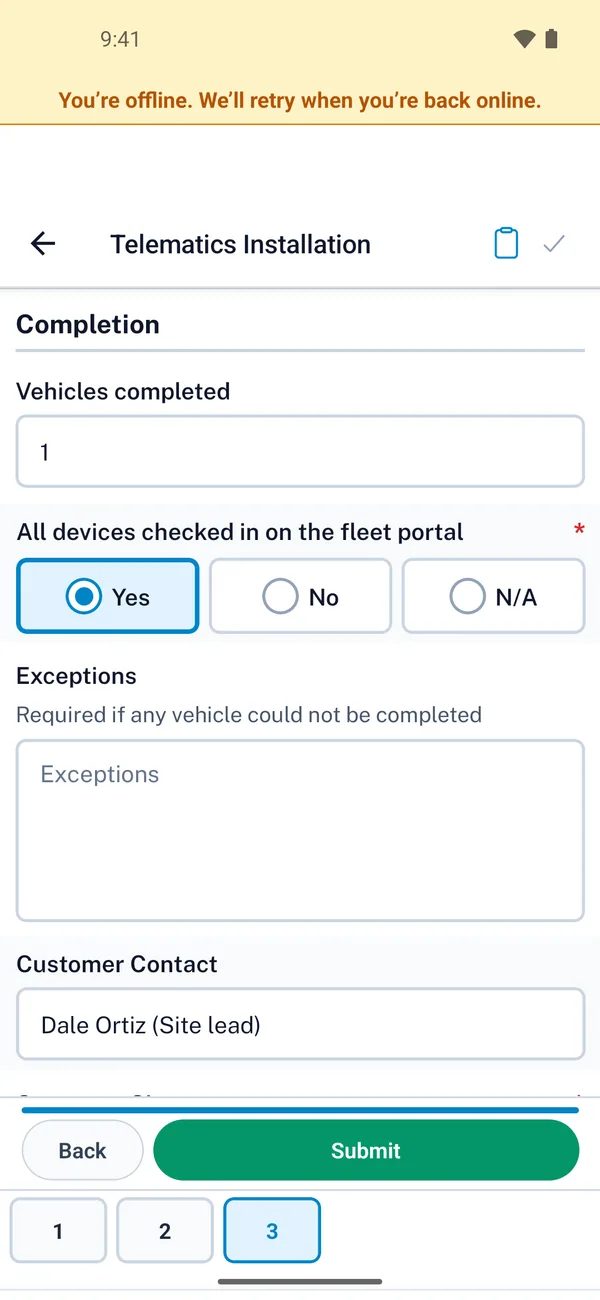
Open a downloaded form, fill it in, and submit it without a connection. The app sends it when your phone is back online.
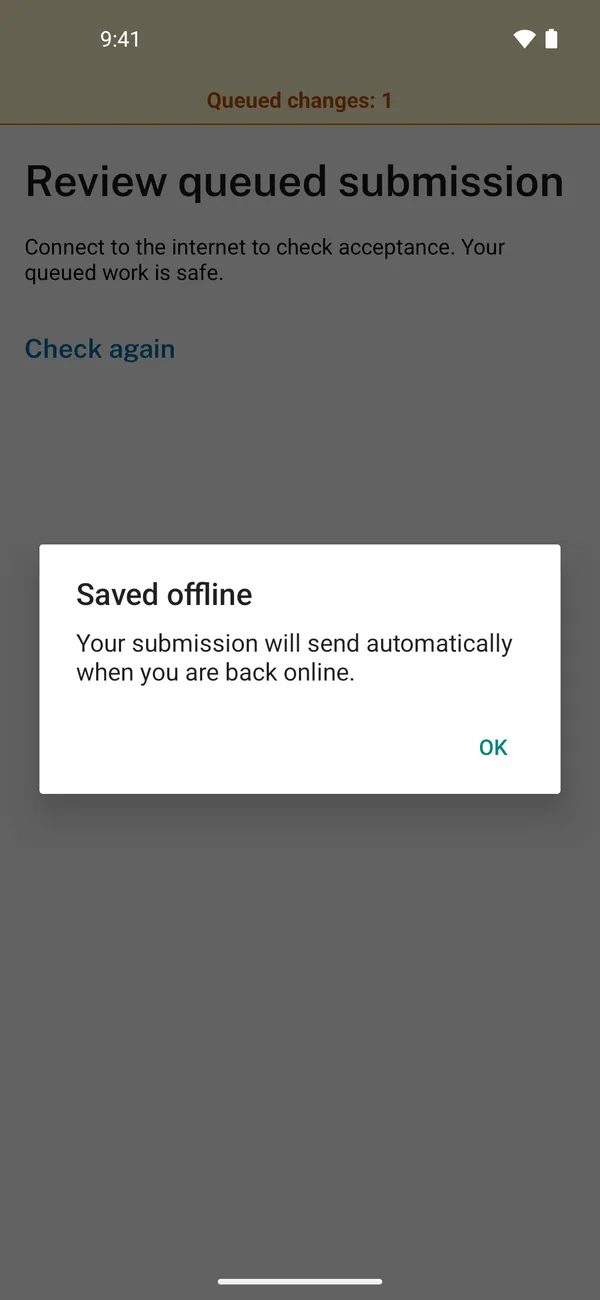
See what’s waiting to send
The app shows when the phone is offline and which submissions are waiting for a connection.
- See the number of queued changes on the Home screen
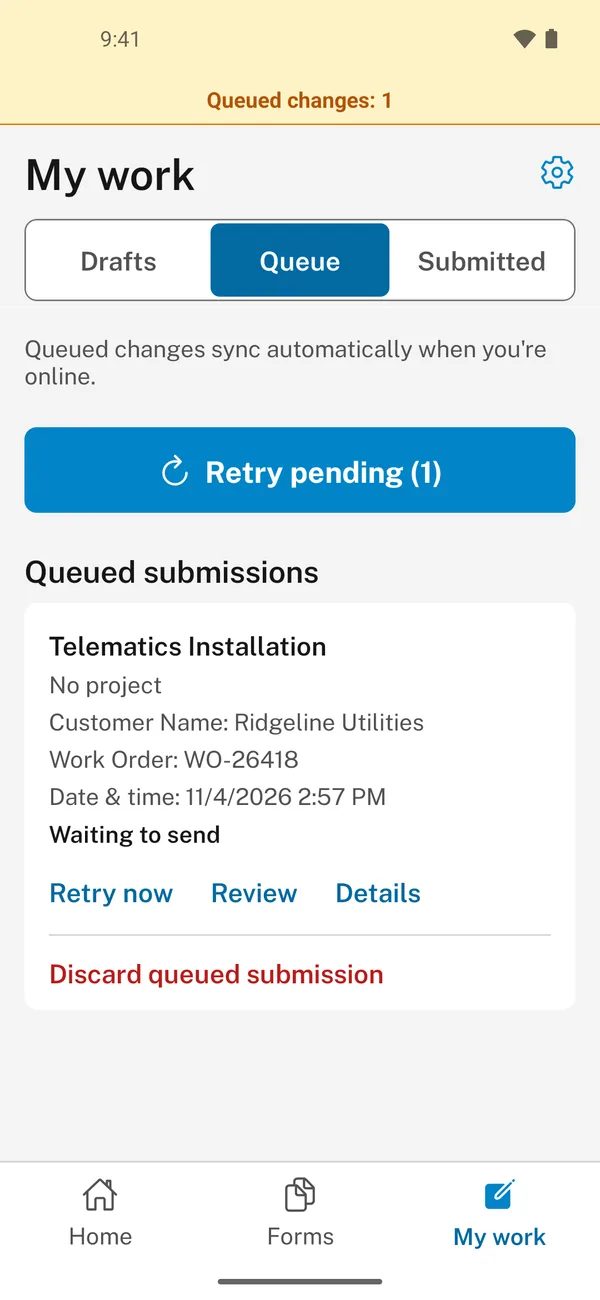
- Open My work to review a queued submission or retry it
- Capture photos, signatures, barcodes, and GPS location on the device
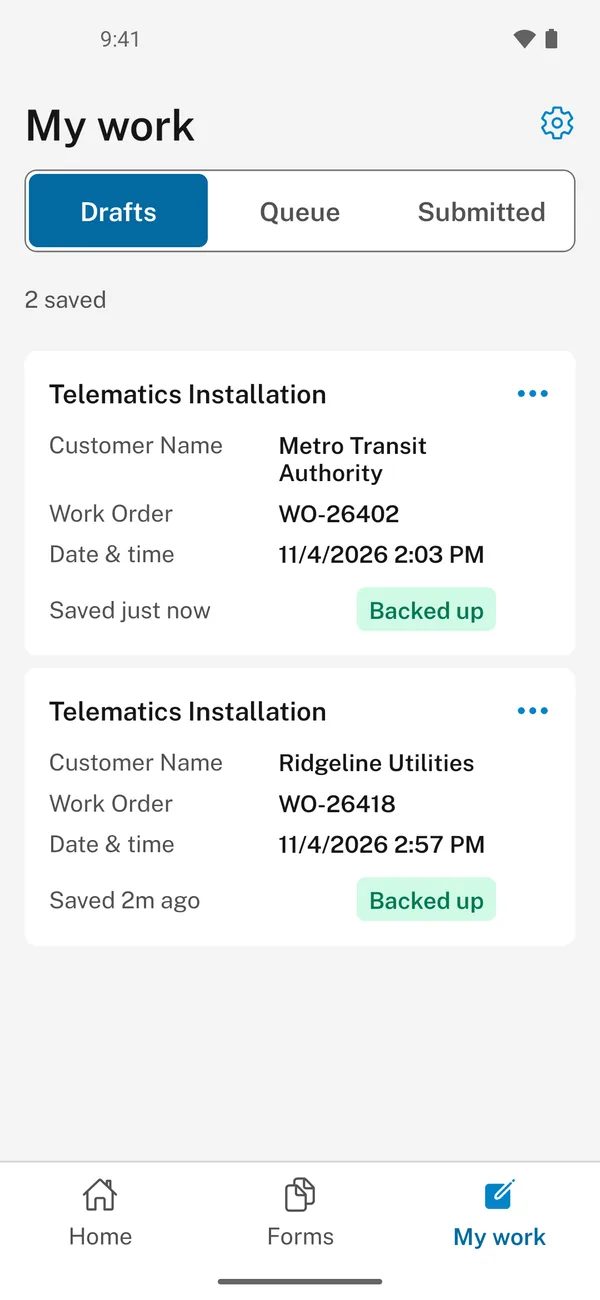
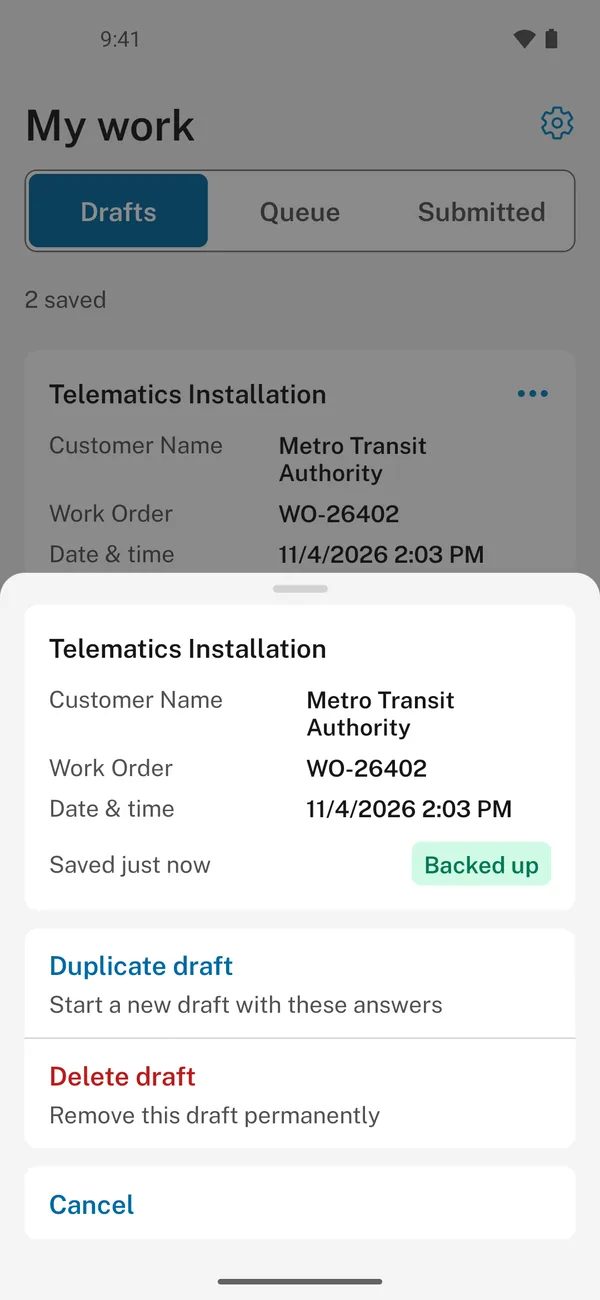
Save and resume a draft
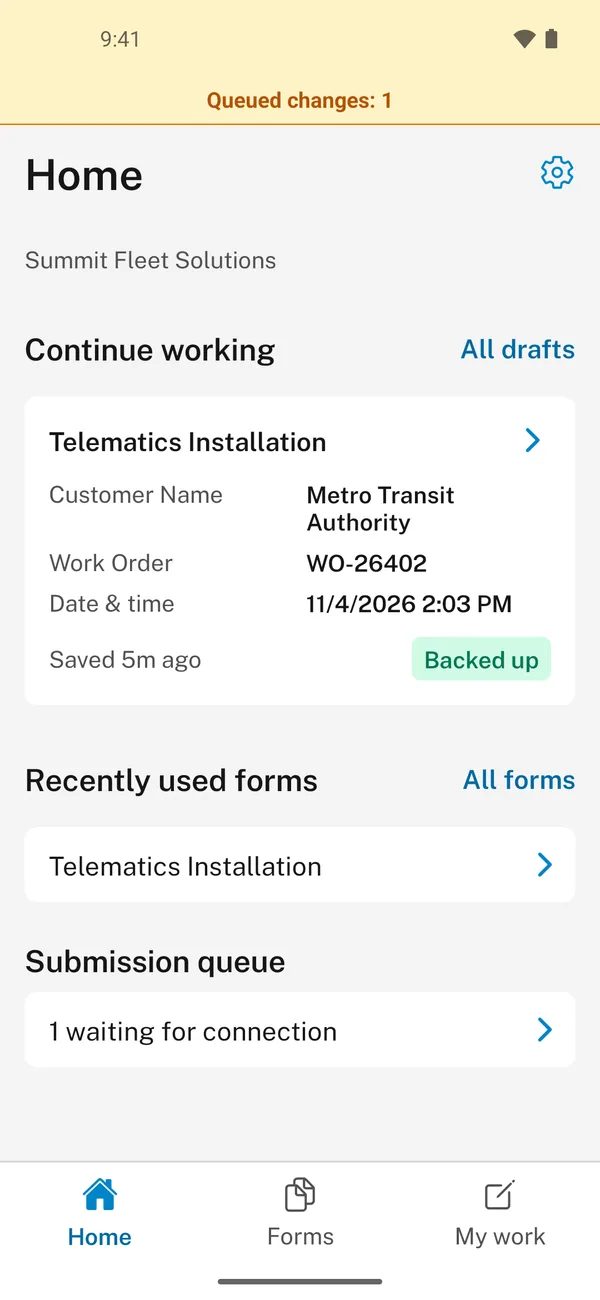
The app saves answers as technicians enter them. Saved drafts are available when they reopen the app.
- Pick up where you left off from Home or My work
- Duplicate a draft to start a similar job with the same answers
- See which drafts are backed up
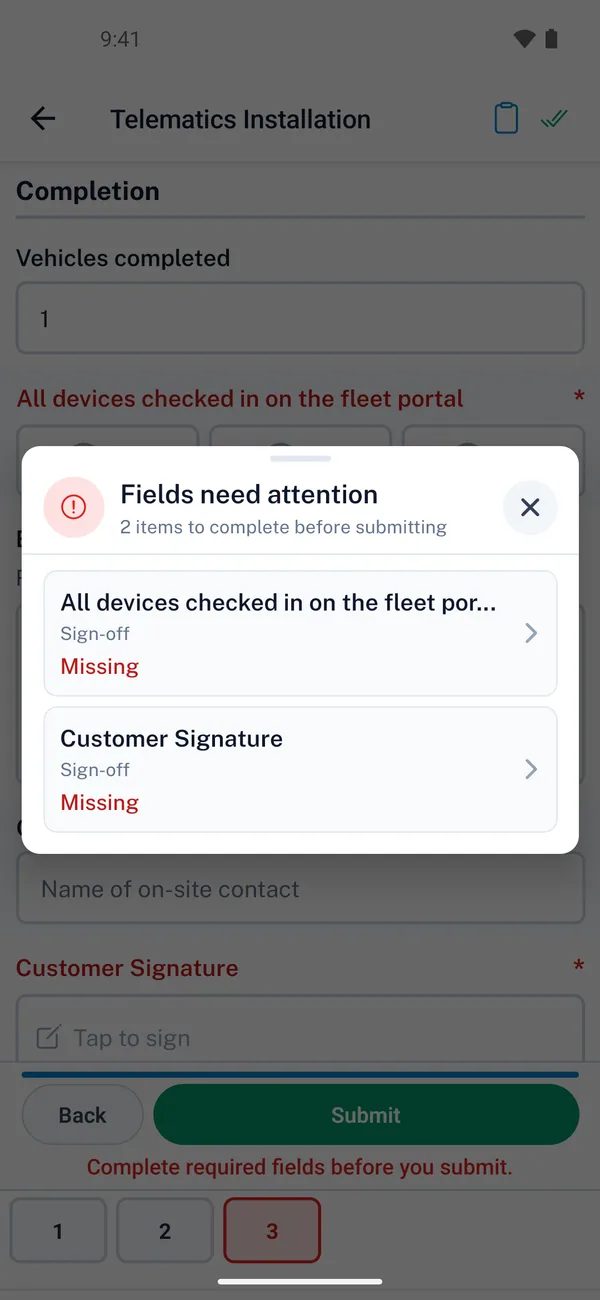
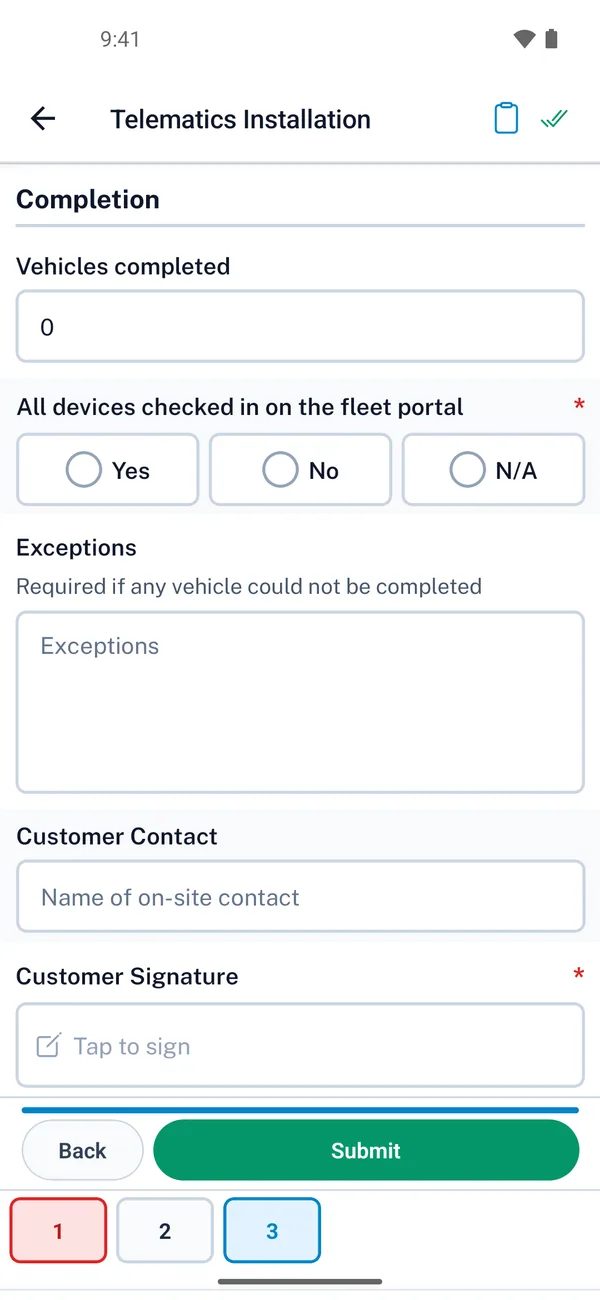
Check progress and required answers
- Multi-page forms with a progress bar and page buttons
- Missing required answers listed in one place before submitting
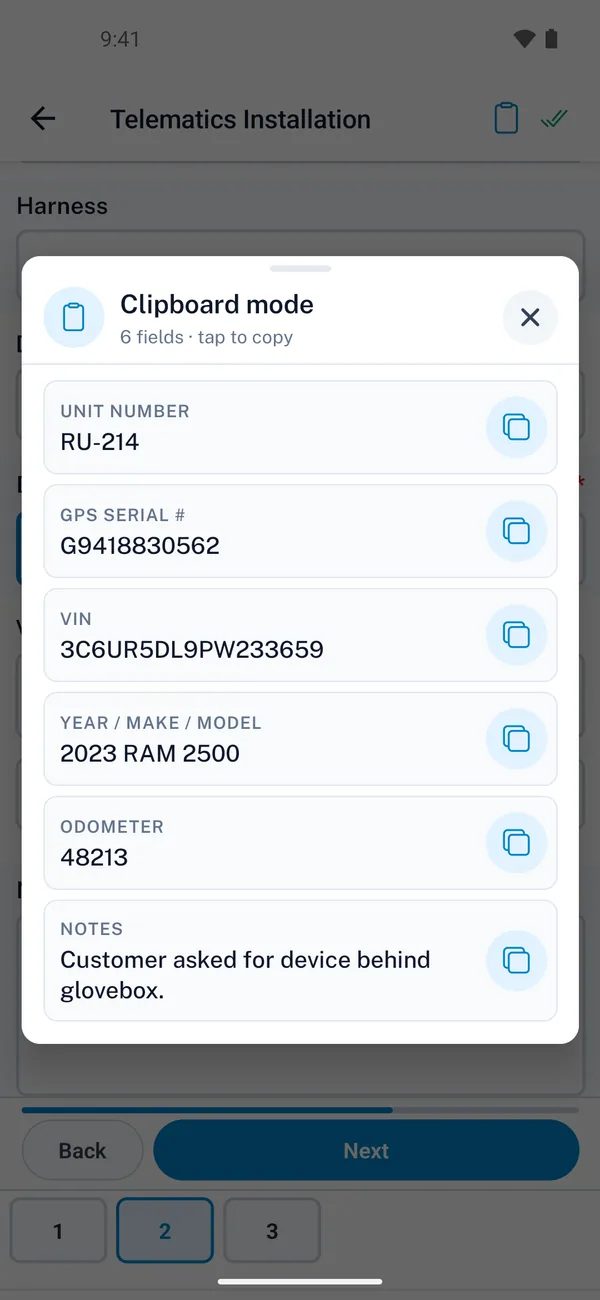
- Copy captured values into other apps with Clipboard mode
Which forms can technicians use offline?
Forms already downloaded to the phone can be opened and filled in offline. Submitted forms wait on the phone until it reconnects.
What happens if the app is closed before a form is finished?
Answers are saved as they’re entered. The draft is waiting on Home and in My work the next time the app opens.
How do techs know what hasn’t sent yet?
A banner shows queued changes, and the Queue tab lists each waiting submission with options to retry now or review it.
Which devices are supported?
The FieldForms Pro app runs on Android and iOS phones.
Can the office see work that was captured offline?
Yes, as soon as the device reconnects and the queued work sends. Live View and Submissions then update like any other job.
Related pages
Live View
See answers, photos, and repeating entries as in-progress forms sync. View when each entry was created and last edited.
VIN & Barcode Scanning
Scan or type a VIN to look up the vehicle’s year, make, and model. Scan barcodes and QR codes into text fields with scanning enabled.
Telematics Installation
Record device serials, VINs, installation photos, and sign-off in one form. Add an entry for each vehicle and export per-vehicle PDFs.
Try the mobile app
Download a form to your phone and fill it in offline.
30-day free trial · Cancel anytime · Admin seats free