VIN & Barcode Scanning
Scan barcodes and decode VINs
Scan or enter a VIN to look up the vehicle’s year, make, and model. Use the same phone camera to scan serial numbers, asset tags, and QR codes into a form.
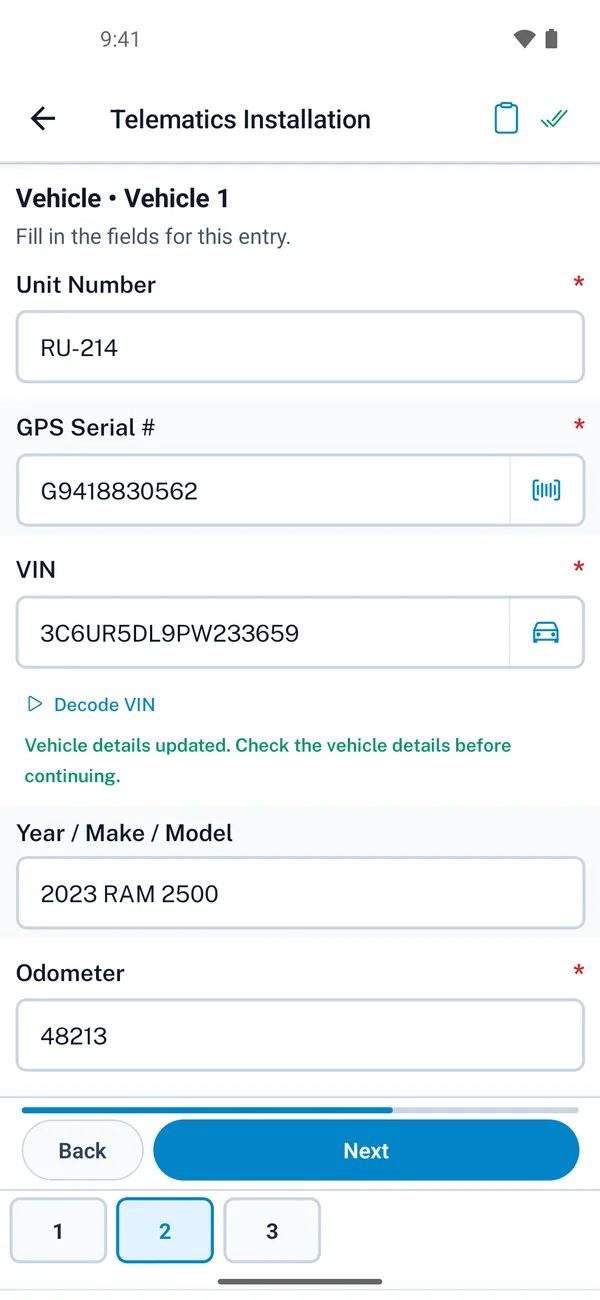
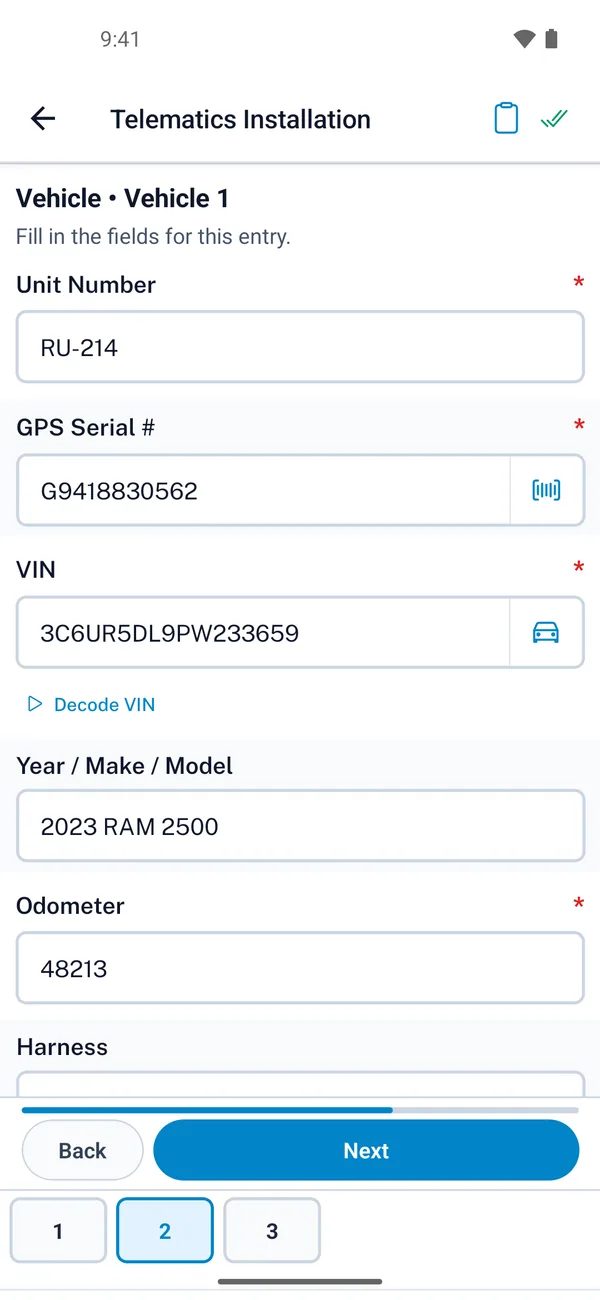
VIN decoding on a phone
The demo shows how a technician enters a VIN and checks the decoded year, make, and model.
What happens in this clip
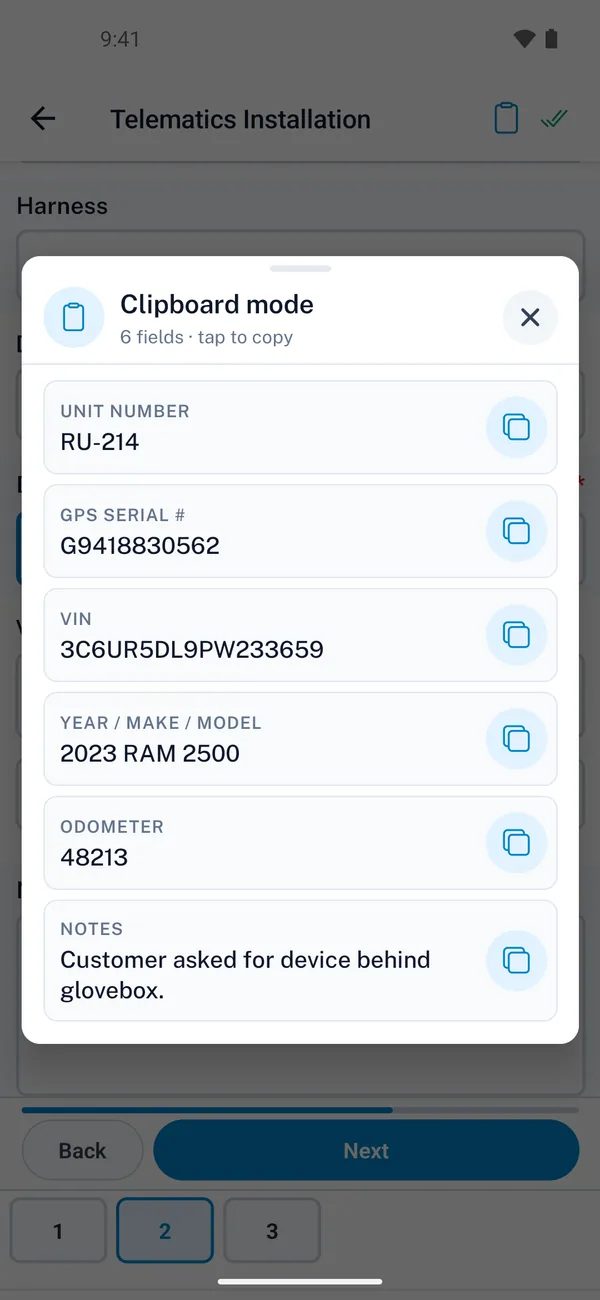
On a Telematics Installation form, the tech fills in the unit number and scans a GPS serial number. They type a VIN and tap Decode VIN. A message confirms the vehicle details were updated, and Year / Make / Model shows 2023 RAM 2500. The tech enters the odometer reading and opens clipboard mode, which lists each captured value with a copy button.
Scan serial numbers, tags, and QR codes
Enable scanning on a text field in the builder. Technicians tap the scan button to fill in that field.
- Use scanning in repeating entries to record values for each vehicle or piece of equipment
- Use Clipboard mode to copy recorded values into other apps
What if the VIN barcode is damaged or missing?
You can type the VIN and use the same Decode VIN button.
Does VIN decoding work offline?
You can scan or enter the VIN offline. The lookup requires a connection.
Can the decoded vehicle go into separate fields?
Yes. When you build the form, choose one combined Year / Make / Model field or three separate fields.
Which fields can scan barcodes?
Any text field with scanning turned on in the builder, including fields inside repeating subforms.
Related pages
Offline Mobile App
Use downloaded forms offline on Android and iOS. The app saves drafts and sends queued submissions when the phone reconnects.
Form Builder
Build mobile forms with drag-and-drop fields, repeating subforms, conditional logic, and settings for PDF and CSV exports.
Telematics Installation
Record device serials, VINs, installation photos, and sign-off in one form. Add an entry for each vehicle and export per-vehicle PDFs.
Try barcode scanning
Enable scanning on a text field and test it on your phone.
30-day free trial · Cancel anytime · Admin seats free